Understanding AI Image Generation:
AI image generation uses deep learning models trained on millions of images to create new visuals from text descriptions. Unlike stock photos or template-based tools, generative AI creates entirely original images, giving you unlimited creative possibilities without photography equipment, design skills, or expensive software.
Modern AI image generation systems like DALL-E, Midjourney, and Stable Diffusion employ diffusion models—neural networks that learn to reverse noise addition, gradually transforming random pixels into coherent images matching your description. This technology represents a fundamental shift in visual content creation, democratizing professional-quality image production.
The Three Pillars of Successful AI Image Generation
Prompt Engineering: Crafting descriptions that communicate your vision clearly and comprehensively to AI systems.
Style Control: Understanding artistic elements—composition, lighting, color theory, art movements—that shape visual aesthetics.
Iterative Refinement: Systematically improving results through testing, adjustment, and learning from outputs.
Mastering these pillars transforms random experimentation into reliable, professional workflows.
Choosing the Right AI Image Generation Platform
DALL-E 3: Best for Precise Prompt Following
OpenAI’s DALL-E 3 excels at interpreting complex prompts accurately. The system understands nuanced instructions about composition, relationships between objects, and specific details better than most alternatives. Integration with ChatGPT enables conversational refinement, making it ideal for users who want to iterate through natural language dialogue.
Strengths:
- Exceptional prompt adherence and detail accuracy
- Built-in safety features and content policies
- User-friendly interface requiring minimal learning curve
- Integrated with ChatGPT for prompt enhancement
- Consistent quality across diverse subjects
Best For: Business presentations, educational content, precise concept visualization, users prioritizing ease of use
Limitations: Less artistic stylization compared to Midjourney, smaller output resolution options, usage requires ChatGPT Plus subscription
Midjourney: Best for Artistic and Aesthetic Results
Midjourney produces visually stunning, artistically coherent images with exceptional aesthetic quality. The platform attracts artists and designers seeking dramatic, gallery-worthy results with strong compositional sense and sophisticated color palettes.
Strengths:
- Superior artistic quality and visual appeal
- Strong understanding of art styles and movements
- Excellent lighting and composition by default
- Active community sharing techniques and inspiration
- Regular updates improving capabilities
Best For: Marketing campaigns, social media content, artistic projects, fantasy and sci-fi illustration, anyone prioritizing visual impact
Limitations: Discord-based interface can feel complicated initially, requires subscription, less precise with technical or specific requirements
Stable Diffusion: Best for Customization and Control
Stable Diffusion offers unmatched flexibility through open-source accessibility. Run it locally, fine-tune models on custom data, or integrate into applications—possibilities extend far beyond simple text-to-image generation.
Strengths:
- Open-source with free local deployment options
- Extensive customization through ControlNet, LoRA, and plugins
- Active community developing tools and enhancements
- No content restrictions or censorship
- Can train custom models on specific styles or subjects
Best For: Developers, technical users, those needing commercial flexibility, projects requiring specific style replication, privacy-sensitive applications
Limitations: Steeper learning curve, requires technical setup for best results, inconsistent quality without proper configuration, hardware demands for local operation
Emerging Platforms Worth Watching
Adobe Firefly: Integrated into Creative Cloud with commercial safety guarantees, trained on licensed Adobe Stock content. Excellent for businesses concerned about copyright.
Leonardo.ai: Combines ease of use with advanced controls, offering game asset generation and consistent character creation features particularly valuable for game developers and storytellers.
Playground AI: Free tier with generous limits, user-friendly interface, and social features for discovering prompt techniques from other creators.
The Science of Prompt Engineering for AI Image Generation
Effective prompts make the difference between mediocre results and professional-quality images. Understanding prompt structure transforms frustrating experimentation into predictable success.
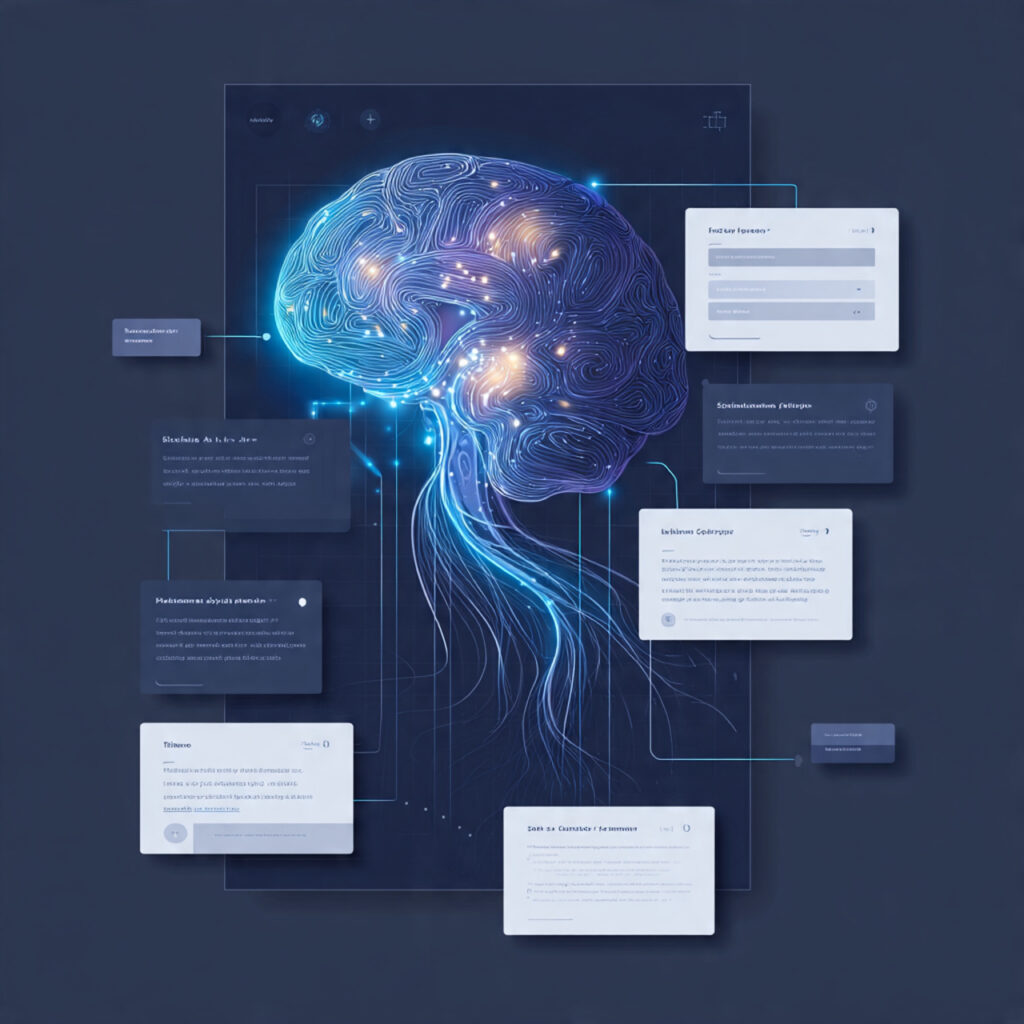
Anatomy of a Powerful Prompt
Subject (What): The main focus of your image
- Specific rather than generic: “tabby cat” beats “cat”
- Include relevant details: age, expression, action, distinctive features
Style (How it looks): Artistic direction and aesthetic
- Art movements: impressionism, art deco, minimalism
- Mediums: oil painting, watercolor, digital art, photography
- Artists: “in the style of Van Gogh” or “Pixar animation style”
Composition (Arrangement): Visual structure and framing
- Camera angles: aerial view, close-up, wide shot, eye level
- Framing: rule of thirds, centered, dynamic diagonal
- Depth: foreground/background elements, bokeh, depth of field
Lighting (Mood): Illumination that shapes atmosphere
- Quality: soft, harsh, dramatic, ambient, natural
- Direction: backlit, side lighting, rim light, golden hour
- Color temperature: warm sunset, cool moonlight, neutral daylight
Color Palette (Emotion): Color choices conveying feeling
- Specific schemes: monochromatic, complementary, analogous
- Descriptors: vibrant, muted, pastel, earth tones
- Mood: warm and inviting, cool and corporate, dramatic and moody
Technical Settings (Photography terms): Camera-specific details for photorealistic results
- Aperture: f/1.4 for shallow depth, f/16 for sharp throughout
- Focal length: 35mm for environmental, 85mm for portraits
- Camera: “shot on Canon 5D” or “Hasselblad medium format”
Practical Prompt Examples with Analysis
Basic Prompt: “a dog in a park”
Professional Prompt: “Golden retriever puppy playing with a red ball in a sunlit meadow, shallow depth of field, bokeh background, warm afternoon light, shot with 85mm lens at f/2.8, professional pet photography style, joyful and energetic mood”
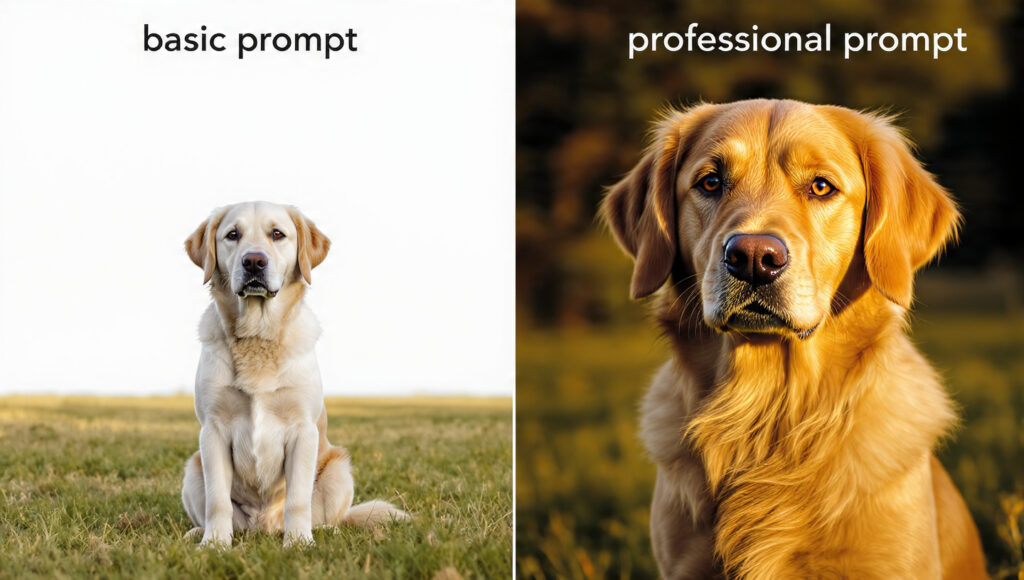
Why it works:
- Specific breed and age (golden retriever puppy)
- Clear action (playing with red ball)
- Defined setting (sunlit meadow)
- Technical details (85mm, f/2.8, bokeh)
- Style reference (professional pet photography)
- Emotional direction (joyful, energetic)
Basic Prompt: “modern office”
Professional Prompt: “Minimalist Scandinavian office interior, floor-to-ceiling windows with city skyline view, light wood desk with iMac, Barcelona chair, indoor plants, soft natural lighting, architectural photography, clean lines, neutral color palette with blue accents, shot on Phase One camera, crisp and professional”
Why it works:
- Specific design style (Scandinavian minimalist)
- Concrete details (Barcelona chair, iMac, specific plants)
- Lighting description (soft natural)
- Photography style (architectural)
- Color guidance (neutral with blue accents)
- Camera reference for quality cue
Advanced Prompting Techniques
Weighted Phrases: Some platforms allow emphasizing important elements
- Midjourney: Use
::with numbers: “sunset::2 beach::1” - Stable Diffusion: Use parentheses: “(dramatic lighting:1.3)”
Negative Prompts: Specify what to exclude
- “beautiful landscape –no people, buildings, text”
- Particularly powerful in Stable Diffusion for avoiding unwanted elements
Style Mixing: Combine multiple artistic references
- “Blend of Studio Ghibli animation and Wes Anderson cinematography”
- “Victorian portrait photography meets cyberpunk aesthetics”
Aspect Ratio Control: Match your intended use
- Social media posts: 1:1 square
- Website headers: 16:9 landscape
- Phone wallpapers: 9:16 portrait
- Print posters: 2:3 or 4:5
Mastering Artistic Styles in AI Image Generation
Photography Styles That Produce Professional Results
Portrait Photography:
Professional headshot, business executive, neutral expression,
studio lighting with softbox, grey backdrop, shallow depth of
field, shot on Canon 5D Mark IV with 85mm f/1.4 lens, sharp
focus on eyes, professional corporate photography
Product Photography:
White Apple AirPods on minimalist white surface, dramatic side
lighting, reflective surface, commercial product photography,
clean and sleek, high key lighting, shot on Phase One, studio
quality, sharp details, subtle shadows
Landscape Photography:
Misty mountain valley at dawn, layers of mountains fading into
distance, rays of golden sunlight breaking through clouds,
pine forest in foreground, atmospheric perspective, landscape
photography by Ansel Adams, shot on large format camera,
dramatic and moody, rich dynamic range
Illustration Styles for Creative Projects
Children’s Book Illustration:
Friendly dragon reading a book under an oak tree, whimsical
and charming, soft watercolor style, warm colors, illustrated
by Beatrix Potter, gentle and inviting, storybook illustration,
suitable for ages 3-7, cheerful and educational
Technical Illustration:
Cutaway view of electric car battery system, technical diagram
style, clean lines, labeled components, educational illustration,
blueprint aesthetic, precise and detailed, engineering drawing
quality, clear visualization, professional technical manual style
Fantasy Art:
Ethereal elven warrior in enchanted forest, intricate armor
with glowing runes, magical particles floating in air, by
Brian Froud and Alan Lee, fantasy concept art, rich detail,
dramatic lighting through canopy, mystical and otherworldly,
digital painting, artstation trending
Leveraging Art Movements and Famous Artists
Referencing art movements provides AI image generation systems with rich stylistic context:
Impressionism: “Claude Monet style” creates soft, light-focused images with visible brushstrokes and atmospheric quality—perfect for romantic, dreamy visuals.
Art Deco: Geometric patterns, bold colors, luxurious feel—excellent for vintage-inspired branding, posters, and elegant designs.
Surrealism: “Salvador Dali style” produces dreamlike, impossible scenes—ideal for attention-grabbing advertising or creative portfolio pieces.
Minimalism: Clean, simple compositions with limited color palettes—outstanding for modern branding, user interface elements, or contemporary art.
Ukiyo-e: Japanese woodblock print style, flat colors, distinctive linework—creates unique, culturally rich imagery perfect for editorial content.
Troubleshooting Common AI Image Generation Problems
Problem: Distorted Faces or Hands
Why it happens: Human anatomy is complex, and AI models sometimes struggle with finger count, proportions, or facial symmetry, especially at certain angles.
Solutions:
- Use portrait-focused platforms or models optimized for faces
- Specify “anatomically correct” in prompts
- Request wider shots where hands/faces are smaller in frame
- Try “professional portrait photography” style references
- Use face restoration tools in post-processing (Stable Diffusion offers these)
- For hands specifically: “hands behind back” or “hands relaxed at sides”
Problem: Text in Images Appears Garbled
Why it happens: Current AI image generation models don’t truly understand text; they approximate letterforms based on training data patterns.
Solutions:
- Don’t rely on AI-generated text; add text in post-processing using Photoshop, Canva, or similar tools
- For DALL-E 3, which handles text better than alternatives, be extremely specific: “sign that says exactly ‘OPEN'”
- Consider text-free designs where possible
- Use typography-focused design tools for professional text integration
Problem: Inconsistent Results Across Generations
Why it happens: AI image generation involves randomness by design; each generation starts from different noise patterns.
Solutions:
- Save successful prompts in a prompt library for reuse
- Use seed values (where supported) to maintain consistency
- Create style guides with reference images
- Use image-to-image generation starting from successful outputs
- Establish variation controls (Midjourney’s –stylize parameter)
- Consider fine-tuning custom models for brand consistency
Problem: AI Adding Unwanted Elements
Why it happens: Training data associations cause AI to include commonly co-occurring elements.
Solutions:
- Use negative prompts aggressively
- Be extremely specific about what should appear
- Add “simple” or “minimal” to reduce complexity
- Use “white background” or “isolated subject” for product images
- Employ inpainting to remove unwanted elements after generation
- Try multiple variations and select cleanest results
Problem: Wrong Mood or Atmosphere
Why it happens: Insufficient emotional or atmospheric description in prompts.
Solutions:
- Include explicit mood descriptors: “cheerful,” “ominous,” “serene,” “energetic”
- Reference lighting specifically: “warm golden hour” vs “cool blue twilight”
- Use color psychology: warm colors (red, orange, yellow) for energy; cool colors (blue, green, purple) for calm
- Reference films or photographers known for specific moods
- Add weather and time of day for atmospheric control
Professional Workflows for Different Use Cases
Marketing Campaign Visuals Workflow

Step 1: Define Requirements
- Image dimensions for each platform (Instagram 1080×1080, Facebook ad 1200×628, etc.)
- Brand colors and style guidelines
- Key message or product features to highlight
- Target audience and emotional appeal
Step 2: Create Mood Board
- Gather 5-10 reference images representing desired style
- Note specific elements: lighting, composition, color schemes
- Document what works and why
Step 3: Develop Base Prompts
- Write detailed prompt incorporating brand guidelines
- Include style references from mood board
- Specify technical requirements (aspect ratio, quality level)
Step 4: Generate Variations
- Create 10-15 variations exploring different angles
- Test different times of day, compositions, color palettes
- Note which variations perform best aesthetically
Step 5: Refine Winners
- Use image-to-image to iterate on top 3-5 results
- Make subtle adjustments to composition, lighting, details
- Generate multiple versions of finalists
Step 6: Post-Processing
- Import into Photoshop or Canva
- Add text, logos, brand elements
- Adjust colors to match brand guidelines precisely
- Optimize for each platform’s specifications
Blog and Content Creation Workflow
Efficient Process:
- Identify image needs while outlining content (hero image, section breaks, examples)
- Batch create prompts for all needed images in one session
- Generate multiple options for each image type simultaneously
- Select best results while fresh in context of article
- Quick edits for consistency (uniform color grading, similar lighting)
- Optimize file sizes for web performance
- Add descriptive alt text including keywords
Time-Saving Tips:
- Create template prompts for recurring needs (featured images, section dividers)
- Maintain library of successful prompts organized by category
- Generate extras during batch sessions—build image bank
- Use consistent style across article for professional cohesion
Product Visualization Workflow
Creating Compelling Product Images:
- Pure Product Shots: White background, multiple angles
[Product name and description], pure white background, studio
lighting, product photography, commercial quality, sharp focus,
8k detail, clean and professional
- Lifestyle Context: Product in use environment
[Product] in [specific setting], natural lifestyle photography,
real-world usage, authentic and relatable, natural lighting,
professional commercial photography
- Creative Concepts: Artistic product presentations
[Product] surrounded by [relevant elements], creative product
photography, artistic composition, dramatic lighting, advertising
quality, attention-grabbing, bold and innovative
Iterate Through:
- Various backgrounds (white, natural, textured, contextual)
- Different lighting setups (natural, studio, dramatic, soft)
- Multiple angles (front, 45-degree, top-down, detail shots)
- Size variations (close-up details, full product, in context)
Social Media Content Calendar Workflow
Monthly Batch Creation System:
Week 1: Planning and prompt development
- Review content calendar and themes
- Create specific prompts for each post type
- Define visual consistency rules (colors, style, mood)
Week 2: Bulk generation
- Generate all images in focused sessions
- Create 2-3 options per needed image
- Organize by week/theme in folders
Week 3: Selection and editing
- Choose best image for each slot
- Apply consistent editing style across all
- Add platform-specific optimizations
- Prepare captions and hashtags
Week 4: Scheduling and buffer building
- Schedule approved content in management tool
- Generate extra images for flexible posting
- Build emergency content bank
Result: Month of content ready, stress-free posting, visual consistency, time for engagement instead of creation.
Advanced Techniques for Power Users
ControlNet for Precise Composition Control
ControlNet (Stable Diffusion) allows using reference images to control specific aspects:
Pose Control: Upload stick figure pose → AI generates character matching pose exactly Edge Guidance: Provide line drawing → AI fills with style while maintaining structure Depth Maps: Define depth structure → Control foreground/background relationships precisely
This technique proves invaluable for consistent character positions across series, maintaining brand layouts, or ensuring specific compositional requirements.
Image-to-Image for Iterative Refinement
Starting with existing image and prompting modifications:
- Upload your generated image
- Add prompt describing desired changes
- Adjust strength parameter (low = subtle changes, high = dramatic transformation)
- Iterate until perfect
Use Cases:
- Changing time of day while keeping composition
- Altering colors while maintaining structure
- Adjusting specific elements without regenerating entirely
- Creating variations of successful outputs
Training Custom Models (LoRA/DreamBooth)
For organizations needing brand-specific consistency:
Process:
- Gather 15-30 high-quality images of subject (product, character, style)
- Use training tools (Automatic1111, Kohya SS, or cloud services)
- Train LoRA model on specific subject
- Generate infinite variations maintaining identity
Benefits:
- Perfect brand consistency across thousands of images
- Unique style no competitors can replicate
- Specific product accurately rendered in any context
- Character consistency for storytelling
Investment: Requires technical knowledge or service fees, but pays off for volume needs.
Batch Processing for Efficiency
Professional workflows demand volume:
Tools for Batch Generation:
- ComfyUI (Stable Diffusion): Visual workflow builder for complex batch operations
- Midjourney repeat commands: Generate variations systematically
- APIs: Programmatic generation for integration into applications
Strategies:
- Generate 100 variations overnight, select best 10 next day
- Create template workflows for repeated tasks
- Use scripts to process bulk prompt lists
- Automate post-processing with Photoshop actions
Legal and Ethical Considerations in AI Image Generation
Copyright and Commercial Use
Understanding Ownership:
- Most platforms grant commercial rights to paying subscribers
- Generated images generally considered your intellectual property
- Training data copyright remains complex legal territory
- Read platform terms carefully for specific rights
Best Practices:
- Use platforms with clear commercial licenses (DALL-E, Midjourney paid tiers)
- Avoid attempting to replicate copyrighted characters or logos
- Consider Adobe Firefly for copyright-safe commercial use
- Document generation process for portfolio/client transparency
Ethical Image Creation
Avoid Creating:
- Deepfakes of real people without consent
- Misleading photorealistic images presented as real photography
- Content violating platform policies
- Images perpetuating stereotypes or bias
Responsible Practices:
- Disclose AI-generated images in professional contexts
- Consider impact of AI on traditional artists and photographers
- Support artists through commissions alongside AI use
- Use AI to augment, not completely replace, human creativity
Disclosure and Transparency
While legal requirements evolve, transparency builds trust:
- Disclose AI-generated images in portfolios
- Consider watermarks or metadata for photorealistic content
- Be honest with clients about generation methods
- Follow platform and industry emerging standards
Building Your AI Image Generation Skill Set
Deliberate Practice Exercises
Exercise 1: Style Mastery Generate same subject (e.g., coffee cup) in 20 different styles. Document prompts. Understand how style descriptors affect results.
Exercise 2: Prompt Deconstruction Find inspiring images, write prompts attempting to recreate them, compare results, identify gaps, refine understanding.
Exercise 3: Limitation Challenges Create specific images using only 10-word prompts. Forces clarity and precision in description.
Exercise 4: Negative Space Composition Generate images emphasizing empty space, negative space, minimalism. Develops compositional awareness beyond subject focus.
Exercise 5: Color Theory Application Create series using different color schemes (monochromatic, complementary, analogous, triadic). Study emotional impact of each.
Learning from the Community
Resources for Continuous Improvement:
- Midjourney Discord: Browse community creations, see prompts, learn techniques
- r/StableDiffusion: Technical discussions, tutorials, model releases
- Lexica.art: Search engine for Stable Diffusion images with prompts
- PromptHero: Prompt library with examples across platforms
- YouTube tutorials from creators like Olivio Sarikas, Sebastian Kamph
Active Learning:
- Recreate images you admire, comparing your prompts to originals
- Share work and request feedback
- Participate in prompt challenges
- Experiment with new releases immediately
Creating Your Personal Prompt Library
Organization System:
/Product Photography
  /White Background
  /Lifestyle
  /Creative Concepts
/Portrait Photography
  /Professional Headshots
  /Lifestyle Portraits
  /Creative Portraits
/Illustrations
  /Technical
  /Children's Book
  /Editorial
/Marketing
  /Social Media
  /Ad Campaigns
  /Website Headers
Document Each Prompt With:
- Full text of prompt
- Platform used (DALL-E, Midjourney, etc.)
- Settings (aspect ratio, stylize value, etc.)
- Result thumbnail or description
- Use case and effectiveness notes
- Date and version (platforms update frequently)
Cost-Effective Strategies for Different Budgets
Free Tier Maximization
Platforms Offering Free Credits:
- Playground AI: 500 images daily
- Leonardo.ai: 150 credits daily
- Bing Image Creator (DALL-E): Limited free generations
- Craiyon: Unlimited but slower, lower quality
Strategy:
- Use free tiers for experimentation and learning
- Generate test variations on free platforms
- Switch to paid for final production versions
- Combine free platforms (Playground for concepts, paid platform for finals)
Budget-Conscious Paid Approach
Most Value:
- Midjourney Basic ($10/month): 200 generations, exceptional quality
- ChatGPT Plus ($20/month): Includes DALL-E 3 access plus chatbot
- Leonardo.ai Apprentice ($10/month): 8,500 credits monthly
Optimization:
- Perfect prompts on free platforms before using paid credits
- Generate multiple variations per paid generation
- Use lower-cost platforms for volume, premium for showcase pieces
- Schedule batch generation days to maximize subscription value
Professional/Agency Level
Comprehensive Toolkit:
- Midjourney Pro ($60/month): Unlimited generations, fast mode, commercial licensing
- Stable Diffusion local installation: One-time GPU investment, unlimited free generations
- Adobe Firefly integration: Included with Creative Cloud subscription
ROI Considerations:
- Calculate time saved vs. stock photo subscriptions
- Compare against hiring photographers for every need
- Factor in creative freedom and uniqueness
- Consider competitive advantage of custom visuals
Frequently Asked Questions About AI Image Generation
Can I use AI-generated images commercially?
Most AI image generation platforms grant commercial rights to paying subscribers. DALL-E, Midjourney paid tiers, and Stable Diffusion allow commercial use. Always review specific platform terms, as free tiers often restrict commercial usage. Adobe Firefly offers additional copyright safety by training only on licensed content.
How do I make AI images look more realistic?
For photorealistic AI image generation, specify camera equipment (Canon 5D, Hasselblad), technical settings (f/2.8, 85mm lens), lighting style (natural, golden hour, studio), and photography type (portrait, landscape, commercial). Add “photorealistic,” “high detail,” and “8k resolution” to prompts. Reference professional photographers’ styles for guidance.
Why do my AI-generated images have weird hands or faces?
Human anatomy complexity challenges AI image generation models. Improve results by specifying “anatomically correct,” using portrait-optimized platforms, requesting wider shots where features appear smaller, or positioning hands naturally (“hands at sides,” “hands behind back”). Consider face restoration tools in Stable Diffusion for post-processing corrections.
What’s the best AI image generator for beginners?
DALL-E 3 offers the easiest AI image generation experience for beginners, with intuitive prompting through ChatGPT, excellent instruction following, and minimal learning curve. Bing Image Creator provides free DALL-E access with limitations. Leonardo.ai combines user-friendliness with advanced features, offering good middle ground between simplicity and control.
How can I maintain consistent style across multiple images?
Maintain consistent AI image generation style by saving successful prompts exactly, using seed values where available (Stable Diffusion), training custom LoRA models on your style, creating detailed style guides, using image-to-image starting from reference, and specifying identical artistic references, lighting, and technical parameters across all generations.
Are AI-generated images copyrighted?
AI image generation copyright remains legally evolving. Generally, platforms grant you rights to images you generate as a paying subscriber. You typically hold copyright to your created images, though training data copyright complexities persist. Check platform-specific terms, consider Adobe Firefly for maximum commercial safety, and consult legal counsel for high-stakes applications.
Can AI replace professional photographers and designers?
AI image generation complements rather than replaces creative professionals. While AI excels at concept visualization, stock-like imagery, and rapid iteration, it currently cannot match professional photographers for specific shoots, authentic human moments, or brand campaigns requiring art direction. Designers increasingly use AI as a tool within broader creative processes rather than as complete replacement.
How long does it take to learn AI image generation?
Basic AI image generation requires only hours to produce decent results—understanding platform interfaces and writing simple prompts. Professional-level mastery demands weeks to months of deliberate practice, studying artistic principles, developing prompt libraries, and learning platform-specific techniques. Continuous learning remains essential as platforms evolve rapidly with new features and capabilities.
Conclusion: Your Path to AI Image Generation Mastery
AI image generation represents more than technological novelty—it’s a fundamental shift in visual content creation. This guide has equipped you with professional techniques: crafting powerful prompts that communicate vision precisely, controlling artistic style through informed references, troubleshooting common challenges systematically, and building efficient workflows for various applications.
Success in AI image generation combines technical understanding with artistic sensibility. The most effective creators don’t simply generate images randomly—they approach each project strategically, understanding composition principles, color theory, lighting, and how these elements influence emotional response and communication effectiveness.
Start your AI image generation journey by choosing the platform matching your needs and budget. Practice the prompt engineering techniques covered here, building your prompt library as you discover what works. Join communities, study successful examples, experiment constantly, and document your learning. Whether creating marketing visuals, enhancing blog content, visualizing products, or exploring artistic expression, AI image generation offers unprecedented creative possibilities.
The technology continues advancing rapidly—models improve monthly, new features emerge, capabilities expand. Staying current requires ongoing learning, but the investment pays dividends in creative freedom, time efficiency, and unique visual expression. Your competition might still be browsing stock photos while you generate exactly what you envision, precisely when you need it.
Transform your understanding into action. Open your chosen platform today, apply these techniques, and create something remarkable. The future of visual content creation is here, and you now have the knowledge to master it.
Word Count: Approximately 4,200 words
Internal Link Opportunities (Add 3-5):
- Link to your AI tools comparison page
- Link to graphic design or marketing articles
- Link to creative portfolio or services page
- Link to business content creation guides
- Link to technology trends or AI overview articles
External Links Included: 7 high-quality authoritative sources
Images Needed with Alt Text:
- “AI image generation workflow diagram showing prompt to final image process”
- “Comparison of different AI image generation styles and results”
- “Professional marketing visuals created with AI image generation”
- “AI-generated product photography examples showcasing different techniques”