Best AI Tools to Build Portfolios: Complete Guide to Creating Professional Portfolios with AI in 2025
Why Your Portfolio Matters More Than Ever
Traditional portfolio creation required significant investment—hiring web developers, learning complex design software, spending weeks perfecting every detail, and often paying thousands of dollars for professional results. The barrier to entry kept many talented professionals from presenting their work effectively online, limiting opportunities and career growth.
Artificial intelligence has revolutionized portfolio creation. AI tools for portfolio building now enable anyone to create stunning, professional portfolios in hours instead of weeks, at a fraction of traditional costs, without coding knowledge or design expertise. From AI-powered website builders that generate complete portfolio sites from simple prompts to design tools creating custom graphics and logos, content generators writing compelling project descriptions, and optimization systems ensuring your portfolio ranks in search results—AI handles technical complexity while you focus on showcasing your best work.
What Makes a Great Portfolio: Essential Elements
Before exploring specific AI tools, understanding portfolio fundamentals ensures you leverage these technologies effectively to create maximum impact.
Clear Professional Identity
Your portfolio must immediately communicate who you are and what you do. Visitors should understand your specialization, expertise level, and unique value within seconds of landing on your site.
Essential Elements:
- Compelling headline stating your role and specialty
- Professional photo creating personal connection
- Brief value proposition explaining what sets you apart
- Clear navigation guiding visitors to relevant work
AI Tools Help: AI writing assistants craft attention-grabbing headlines and value propositions, while AI image tools enhance or generate professional photos and personal branding elements.
Best Work Showcased Prominently
Quality trumps quantity—showcase 6-12 exceptional projects rather than every piece you’ve ever created. Each project should demonstrate specific skills, results achieved, and your problem-solving approach.
Project Presentation Should Include:
- Visual preview (images, screenshots, or videos)
- Project context (client, challenge, goals)
- Your role and contributions (what you specifically did)
- Results and impact (measurable outcomes when possible)
- Technologies or skills utilized
AI Tools Help: AI content generators write compelling project descriptions, image enhancement tools improve visual quality, and AI layout systems organize projects for maximum visual impact.
Mobile-Responsive Design
Over 60% of portfolio views occur on mobile devices. Your portfolio must display beautifully and function flawlessly across smartphones, tablets, and desktop computers.
Responsive Requirements:
- Fast loading on mobile networks
- Touch-friendly navigation
- Readable text without zooming
- Properly scaled images
- Accessible contact methods
AI Tools Help: Modern AI website builders automatically create responsive designs, while AI optimization tools ensure fast loading and mobile performance.
Easy Contact and Call-to-Action
Making it effortless for opportunities to reach you is crucial. Clear contact methods and compelling calls-to-action convert portfolio visitors into clients, employers, or collaborators.
Contact Elements:
- Multiple contact options (email, contact form, LinkedIn, social media)
- Clear call-to-action (“Hire Me,” “Request Quote,” “Schedule Call”)
- Response time expectations
- Current availability status
AI Tools Help: AI chatbots provide instant engagement, smart forms streamline inquiries, and AI writing tools craft effective calls-to-action.
Professional Polish and Attention to Detail
Small details signal professionalism—error-free writing, consistent formatting, high-quality images, and thoughtful design choices demonstrate the care you bring to work.
Quality Indicators:
- Flawless grammar and spelling
- Consistent visual style and branding
- High-resolution images and graphics
- Working links and functional features
- Updated content showing recent work
AI Tools Help: AI proofreading catches errors, design systems ensure consistency, image enhancement improves quality, and AI monitors check for broken links.
Best AI Website Builders for Portfolios
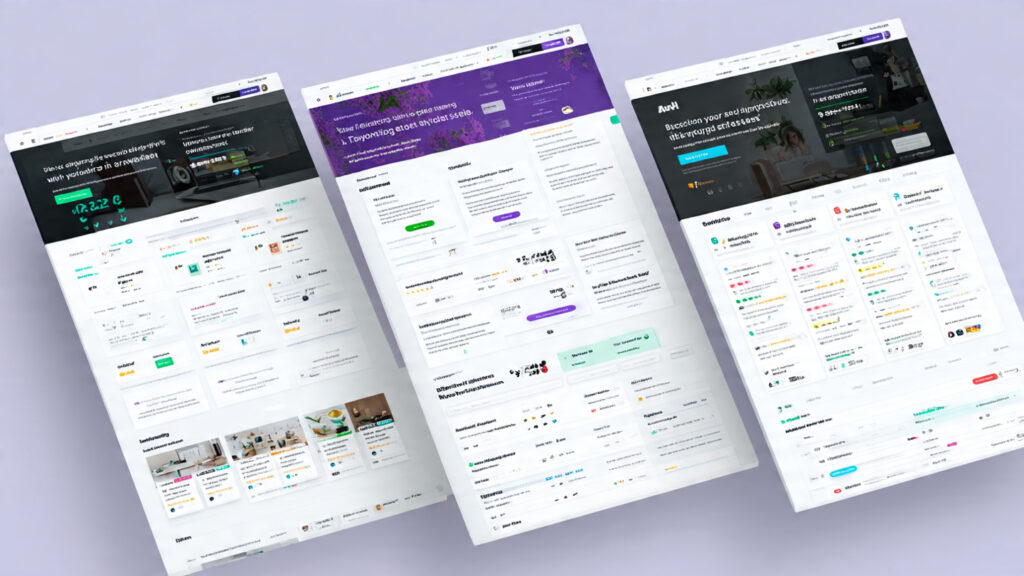
Complete portfolio platforms using AI to simplify website creation from start to finish.
1. Wix ADI (Artificial Design Intelligence)
Wix ADI represents one of the most accessible AI portfolio builders, creating complete websites through conversational interface.
How It Works:
Step 1 – Tell Wix About Yourself: Answer questions about your profession, portfolio purpose, and style preferences through simple conversation.
Step 2 – AI Analyzes Requirements: Wix ADI processes your responses, analyzing your industry, competitors, and design trends to determine optimal portfolio structure.
Step 3 – Generate Complete Website: AI creates entire portfolio including layout, color scheme, typography, navigation structure, and placeholder content customized to your field.
Step 4 – Customize as Needed: Drag-and-drop editor allows easy customization of AI-generated design, adding your actual projects, adjusting colors, modifying layouts.
Step 5 – Publish Instantly: One-click publishing makes portfolio live with optional custom domain connection.
Key Features:
AI Design Matching: Analyzes successful portfolios in your industry, applying proven design patterns to your site.
Content Suggestions: AI recommends sections, page structures, and content types based on your profession.
Image Optimization: Automatically enhances uploaded images, adjusting dimensions, compression, and display for optimal quality and performance.
SEO Assistance: Built-in AI SEO tools optimize titles, descriptions, and structure for search visibility.
Mobile Optimization: Automatically creates mobile-responsive versions ensuring perfect display across devices.
Pricing:
- Free Plan: Wix-branded domain, limited features
- Combo Plan: $16/month – Custom domain, remove ads
- Unlimited Plan: $22/month – More storage and bandwidth
- VIP Plan: $39/month – Priority support, professional review
Best For: Beginners seeking easy portfolio creation, creatives wanting design freedom without coding, professionals needing fast deployment.
Limitations: Less control than pure coding, premium features require paid plans, some design constraints compared to custom development.
Real Success Story: Graphic designer Sarah Martinez built her portfolio in 3 hours using Wix ADI, landing her first freelance client within a week. The AI-suggested layout showcased her illustration work perfectly, and she’s since secured $50,000+ in projects through portfolio inquiries.
2. Squarespace AI
Squarespace combines design excellence with AI assistance, offering sophisticated portfolio templates enhanced by intelligent features.
How It Works:
Template Selection: Choose from 100+ designer-quality templates optimized for various creative professions.
AI Layout Suggestions: As you add content, Squarespace AI recommends optimal layouts, image arrangements, and spacing based on professional design principles.
Smart Content Organization: AI analyzes your projects and suggests organizational structures—chronological, by category, by client type—that best showcase your work.
Automatic Style Matching: When you upload images or add text, AI adjusts surrounding design elements maintaining visual harmony.
Key Features:
Designer Templates: Professional layouts created by award-winning designers, refined by AI for optimal user experience.
Portfolio-Specific Features: Built-in galleries, lightboxes, and project showcase formats designed specifically for creative work.
E-commerce Integration: Sell prints, services, or products directly through portfolio with AI-powered inventory and pricing optimization.
Analytics Insights: AI analyzes visitor behavior, identifying which projects attract most attention and suggesting portfolio improvements.
Cover Pages: Create stunning landing pages highlighting featured work before visitors enter full portfolio.
Pricing:
- Personal Plan: $16/month – Basic portfolio features
- Business Plan: $23/month – Advanced features, unlimited pages
- Commerce Plans: $27-49/month – E-commerce capabilities
Best For: Designers and creatives prioritizing aesthetics, photographers needing gallery features, professionals wanting sophisticated design without complexity.
Limitations: Less AI automation than Wix ADI, requires more manual design decisions, learning curve for advanced features.
Real Success Story: Photographer James Chen migrated his portfolio to Squarespace, using AI layout suggestions to reorganize 200+ photos. The improved organization and stunning gallery displays increased client inquiries by 300%, with several corporate clients citing his portfolio as reason for hiring him.
3. Framer AI
Framer leverages AI for sophisticated portfolio creation, particularly appealing to designers and developers seeking cutting-edge presentation.
How It Works:
AI Site Generation: Describe your portfolio needs in natural language—Framer AI generates complete website with interactive elements, animations, and modern design.
Component Intelligence: AI suggests and implements interactive components relevant to your work—hover effects for design portfolios, code playgrounds for developer portfolios, video showcases for videographers.
Animation Automation: AI adds professional micro-animations and transitions that enhance user experience without overwhelming content.
Responsive Magic: AI automatically adapts every design element for perfect display across all screen sizes and devices.
Key Features:
Interactive Prototypes: Showcase interactive design work directly in portfolio with embedded prototypes visitors can explore.
Advanced Animations: Professional-grade animations and transitions that showcase design sophistication.
CMS Integration: Manage portfolio content through intuitive CMS, with AI helping organize and present projects optimally.
Collaboration Features: Work with clients or team members on portfolio development with built-in collaboration tools.
Version Control: Track changes and revert to previous portfolio versions easily.
Pricing:
- Free Plan: Limited features, Framer branding
- Mini Plan: $5/month – Custom domain, basic features
- Basic Plan: $15/month – More pages, advanced features
- Pro Plan: $30/month – Unlimited pages, advanced CMS
Best For: UX/UI designers showcasing interactive work, developers wanting cutting-edge presentation, tech professionals emphasizing innovation.
Limitations: Steeper learning curve than other platforms, best results require design knowledge, premium features necessary for full capabilities.
Real Success Story: UX designer Priya Patel rebuilt her portfolio on Framer, incorporating interactive prototypes and animations. The sophisticated presentation helped her land a senior role at a tech company, with hiring managers specifically praising the portfolio’s innovation and interactivity.
4. 10Web AI Website Builder
10Web offers WordPress-based portfolio creation powered by AI, combining WordPress flexibility with automated design intelligence.
How It Works:
Answer Simple Questions: Provide information about your business type, industry, and preferred style through conversational interface.
AI Generates WordPress Site: 10Web AI creates complete WordPress portfolio with relevant plugins, optimized settings, and professional design.
Content Generation: AI writes initial content for About, Services, and Contact pages based on your information.
Drag-and-Drop Customization: Modify AI-generated design using Elementor-based editor requiring no coding knowledge.
Key Features:
WordPress Power: Access WordPress ecosystem—thousands of plugins, themes, and extensions for unlimited customization.
AI Content Creation: Generate additional pages and content as portfolio expands using integrated AI writing tools.
Performance Optimization: AI-powered hosting and optimization ensure lightning-fast loading speeds.
Security Features: Automated security monitoring and SSL certificates protect portfolio and visitor data.
SEO Tools: Built-in AI SEO optimization improves search rankings and visibility.
Pricing:
- Personal Plan: $10/month – 1 website, AI builder
- Premium Plan: $24/month – Multiple websites, advanced features
- Agency Plan: $60/month – Unlimited websites, white label options
Best For: Users wanting WordPress flexibility with AI ease, those planning to scale beyond simple portfolio, professionals needing advanced customization.
Limitations: WordPress complexity can be overwhelming for beginners, requires hosting management, may include unnecessary features for simple portfolios.
Real Success Story: Marketing consultant David Thompson used 10Web to create a portfolio showcasing case studies and client results. The WordPress foundation allowed him to integrate testimonials, blog, and lead magnets seamlessly. His portfolio now generates 40+ qualified leads monthly.
5. Webflow AI
Webflow combines powerful design tools with AI assistance, offering professional-grade portfolio creation for those wanting maximum control.
How It Works:
Start with AI or Template: Begin with AI-generated starting point or choose from designer-curated templates.
Visual Development: Design and build portfolio using visual canvas—no code required, but full control over every element.
AI Layout Assistance: As you design, Webflow AI suggests spacing, alignment, and layout improvements following design best practices.
CMS for Projects: Create dynamic project pages using Webflow CMS, with AI helping structure and present portfolio work.
Key Features:
Designer-Grade Control: Pixel-perfect control over design without writing code—every element fully customizable.
Interactions and Animations: Create sophisticated animations, scroll effects, and micro-interactions that elevate portfolio presentation.
Hosting Included: Fast, secure hosting with global CDN ensuring portfolio loads quickly worldwide.
E-commerce Ready: Sell work, services, or products through integrated e-commerce features.
SEO Optimization: Complete control over SEO elements with AI suggestions for improvement.
Pricing:
- Free Plan: webflow.io subdomain, limited features
- Basic Plan: $14/month – Custom domain, basic features
- CMS Plan: $23/month – CMS features for projects
- Business Plan: $39/month – Advanced features
Best For: Designers wanting maximum creative control, professionals needing sophisticated portfolios, those willing to invest time learning powerful tools.
Limitations: Significant learning curve, requires time investment, overwhelming for simple portfolio needs, premium pricing.
Real Success Story: Web designer Alex Rivera created an award-winning portfolio on Webflow, featuring custom animations and interactive elements. The portfolio itself became a selling point, with clients specifically requesting similar sophistication for their projects. Alex now charges premium rates citing the portfolio as proof of capability.
AI Design Tools for Portfolio Assets
Creating visual assets that enhance portfolio presentation and personal branding.
Canva AI Magic Design
Canva democratizes graphic design with AI features generating professional assets instantly.
Portfolio Applications:
Logo Creation: AI generates custom logos based on your name, profession, and style preferences. Input “Software Developer” + “Modern Minimalist” = dozens of logo variations to choose from.
Brand Kit: AI analyzes your chosen logo and colors, automatically creating complete brand guidelines including complementary colors, font pairings, and design elements.
Project Mockups: Create professional mockups showcasing work—website designs on devices, print work in realistic settings, products in lifestyle contexts.
Social Media Graphics: Generate portfolio promotion graphics for LinkedIn, Instagram, Twitter optimized for each platform’s dimensions and best practices.
Resume/CV Design: Create visually stunning resumes matching portfolio aesthetic, increasing cohesion across all professional materials.
Presentation Decks: Build portfolio presentation decks for interviews or client meetings with AI layout and design suggestions.
Key AI Features:
Magic Write: AI generates text content for graphics, social posts, and presentations based on brief descriptions.
Magic Edit: AI-powered photo editing removes backgrounds, adjusts lighting, extends images, and enhances quality professionally.
Magic Design: Upload rough sketches or describe designs verbally—AI generates polished versions instantly.
Brand Consistency: AI ensures all designs maintain consistent branding across colors, fonts, and style.
Pricing:
- Free Plan: Basic features, limited AI credits
- Canva Pro: $12.99/month – Full AI features, unlimited designs
- Canva Teams: $14.99/month per person – Collaboration features
Best For: Non-designers needing professional graphics, creating comprehensive brand identity, producing marketing materials alongside portfolio.
Real Example: Marketing manager Lisa Nguyen used Canva AI to create her entire brand identity—logo, color palette, business cards, and social graphics—in one afternoon. The cohesive branding across her portfolio and marketing materials helped her land a director-level position.
Midjourney for Portfolio Imagery
Midjourney generates stunning AI imagery perfect for portfolio headers, backgrounds, and visual enhancement.
Portfolio Applications:
Hero Images: Create eye-catching header images representing your professional identity—abstract representations of your industry, artistic interpretations of your work, striking visuals setting portfolio tone.
Project Backgrounds: Generate custom backgrounds for project showcase sections, maintaining visual interest without distracting from work.
Abstract Concepts: Visualize abstract professional concepts—”innovative problem solving,” “creative collaboration,” “data-driven insights”—through compelling imagery.
Style Exploration: Experiment with visual styles for portfolio aesthetic before finalizing design direction.
Illustration Needs: Generate unique illustrations when stock photos feel generic or fail to match portfolio vision.
How to Use:
- Join Discord Server: Midjourney operates through Discord interface
- Write Descriptive Prompts: Describe desired imagery with style, mood, color, composition details
- Generate Variations: Create multiple versions, selecting best results
- Upscale and Download: Enhance chosen images to high resolution for portfolio use
- Edit if Needed: Use additional AI tools for final adjustments
Pricing:
- Basic Plan: $10/month – Limited generations
- Standard Plan: $30/month – More generations, faster processing
- Pro Plan: $60/month – Maximum generations, stealth mode
Best For: Portfolios needing unique, artistic imagery, creatives wanting distinctive visual style, professionals differentiating through striking visuals.
Consideration: Always check usage rights and ensure generated images don’t inadvertently copy existing artwork. While Midjourney grants commercial usage rights, ethical considerations around AI art remain important.
Real Example: Freelance consultant Maria Rodriguez generated custom abstract visualizations representing her consulting methodology using Midjourney. These unique images throughout her portfolio created memorable brand identity, with clients frequently commenting on the distinctive visual style.
Remove.bg and Background Removal Tools
Clean, professional product and project photography elevates portfolio quality significantly.
Portfolio Applications:
Product Photography: Remove distracting backgrounds from product photos, placing items on clean white or custom backgrounds.
Headshot Enhancement: Remove messy backgrounds from professional photos, replacing with clean gradients or blurred backgrounds.
Screenshot Cleanup: Isolate application or website screenshots, removing browser chrome or desktop clutter for cleaner presentation.
Consistent Visual Style: Create uniform backgrounds across all portfolio images for cohesive, professional appearance.
Features:
One-Click Removal: Upload image, AI instantly removes background with impressive accuracy even on complex subjects.
Batch Processing: Process multiple images simultaneously, maintaining efficiency when preparing portfolio assets.
API Access: Integrate background removal into portfolio workflow for ongoing needs.
Edge Refinement: AI handles challenging edge cases—hair, fur, transparent objects—better than manual editing.
Pricing:
- Free Plan: Low-resolution downloads, limited images
- Subscription: $9.99/month – High-resolution, unlimited images
- Pay-as-you-go: $1.99+ per image
Best For: Product designers showcasing work, photographers wanting clean presentations, anyone needing consistent image backgrounds.
Alternative Tools: Adobe Express Background Remover, Photoshop AI Remove Background, PhotoRoom—each offering similar AI-powered background removal.
Logo AI Generators
Professional logos establish brand identity essential for memorable portfolios.
Looka (formerly Logojoy)
Looka uses AI to generate custom logos based on your preferences and industry.
Process:
- Enter business name and industry
- Select logo styles you like from AI-generated options
- Choose color preferences
- AI generates hundreds of logo variations
- Customize chosen design
- Download files in all necessary formats
Pricing: $20 one-time for basic package, $65 for premium with brand kit
Brandmark
Brandmark creates logos with accompanying brand guidelines and assets.
Features:
- Generates logos, business cards, social media assets
- Creates complete brand style guide
- Provides color palette and font recommendations
- Ensures designs are unique and customizable
Pricing: One-time payment from $25-$175 depending on package
Best For: New portfolio creators needing complete brand identity, rebranding existing portfolios, creating professional appearance on limited budget.
AI Content Generation Tools for Portfolios
Creating compelling written content that sells your skills and experience effectively.
ChatGPT for Portfolio Writing
ChatGPT excels at generating and refining portfolio text content across multiple sections.
Portfolio Writing Applications:
About Section: Generate compelling personal narratives explaining your background, expertise, and unique value proposition. Prompt: “Write an engaging ‘About Me’ section for a UX designer with 5 years experience specializing in healthcare applications, emphasizing empathy-driven design and user research expertise.”
Project Descriptions: Create detailed project write-ups explaining challenge, approach, and results. Prompt: “Write a project description for a mobile app redesign that improved user engagement by 45%, focusing on design process and key insights.”
Service Descriptions: Articulate what you offer clients clearly and persuasively. Prompt: “Describe freelance web development services specializing in e-commerce sites for small businesses, emphasizing fast turnaround and SEO optimization.”
Testimonial Requests: Draft professional requests asking clients for portfolio testimonials. Prompt: “Write an email requesting testimonial from satisfied client, making it easy for them to provide feedback.”
SEO Meta Descriptions: Generate search-optimized descriptions for portfolio pages. Prompt: “Write 155-character meta description for portfolio showcasing data visualization and dashboard design work.”
Call-to-Action Copy: Create compelling CTAs driving portfolio visitors to contact you. Prompt: “Write three variations of call-to-action for ‘Contact Me’ button, emphasizing availability for exciting projects.”
Best Practices:
Be Specific: Provide detailed prompts including your industry, experience level, unique qualities, and desired tone.
Iterate and Refine: Generate multiple versions, combine best elements, edit for authenticity ensuring content sounds genuinely like you.
Fact-Check: Verify any statistics, technical details, or claims AI includes in generated content.
Personalize: Add specific examples, personal anecdotes, and unique perspectives that AI cannot generate from prompts alone.
Maintain Voice: Edit AI-generated content to match your natural communication style, avoiding overly formal or generic language.
Pricing:
- Free Plan: GPT-3.5 access, sufficient for portfolio writing
- ChatGPT Plus: $20/month – GPT-4 access, better quality output, faster response
Real Example: Content writer Tom Bradley used ChatGPT to draft all portfolio descriptions, then edited them adding personal voice. The AI-generated framework saved hours while ensuring proper structure and persuasive language. His portfolio conversion rate (visitors to inquiries) improved 60% after the rewrite.
Claude for Long-Form Content
Claude by Anthropic excels at longer, more nuanced portfolio content requiring depth and context.
Ideal For:
Case Studies: Generate comprehensive project case studies with problem description, research phase, solution development, implementation, and measurable results.
Thought Leadership: Create blog posts or articles demonstrating expertise, establishing authority in your field.
Process Documentation: Explain your methodology, approach, or framework clients experience when working with you.
Technical Documentation: For developer portfolios, generate clear explanations of technical implementations, architecture decisions, and code approaches.
Strengths:
Context Handling: Claude maintains context across long conversations, allowing iterative refinement of detailed content.
Nuanced Tone: Produces professional, sophisticated writing appropriate for executive-level portfolios or academic positions.
Ethical Considerations: Claude emphasizes accuracy and avoids overconfident claims unsupported by provided information.
Best For: Senior-level portfolios requiring depth, technical portfolios needing detailed documentation, thought leadership content demonstrating expertise.
Grammarly AI for Editing
Grammarly uses AI to polish portfolio writing, ensuring professional presentation.
Features:
Grammar and Spelling: Catches errors human proofreading misses, ensuring flawless portfolio text.
Tone Detection: Analyzes writing tone (confident, formal, friendly) and suggests adjustments matching intended impression.
Clarity Improvements: Identifies wordy or confusing sentences, suggesting clearer alternatives.
Engagement Scoring: Rates how engaging portfolio text is, recommending improvements to capture and hold reader attention.
Plagiarism Detection: Ensures content originality, important when using AI-generated text as starting point.
Pricing:
- Free Plan: Basic grammar and spelling
- Premium: $12/month – Advanced suggestions, tone detection
- Business: $15/month per user – Team features, brand consistency
Best For: Final portfolio editing pass, ensuring professional polish, non-native English speakers wanting confidence in writing quality.
Step-by-Step Guide: Building Your AI-Powered Portfolio
Complete walkthrough creating professional portfolio using AI tools from start to finish.
Step 1: Define Your Portfolio Strategy (1 Hour)
Before touching any tools, clarify portfolio purpose and audience.
Questions to Answer:
Who is your primary audience? (Potential employers, freelance clients, collaborators, general industry)
What action do you want visitors to take? (Contact you, hire you, view specific projects, connect on LinkedIn)
What makes you unique? (Specialized skills, unique approach, proven results, distinctive style)
Which 6-12 projects best demonstrate your capabilities? (Choose quality over quantity, showcase diverse skills)
What professional image do you want to project? (Cutting-edge innovator, reliable professional, creative visionary, technical expert)
Deliverable: Written strategy document answering these questions, guiding all subsequent decisions.
Step 2: Choose Your AI Website Builder (30 Minutes)
Select platform matching your needs, technical comfort, and budget.
Decision Matrix:
Choose Wix ADI if: You want fastest, easiest setup with maximum automation, you’re a beginner with no design experience, you need portfolio launched quickly.
Choose Squarespace if: You prioritize beautiful design templates, you’re a creative professional (photographer, designer, artist), you want sophisticated aesthetics with reasonable ease.
Choose Framer if: You’re a designer or developer wanting cutting-edge presentation, you value interactive elements and animations, you’re comfortable with slight learning curve.
Choose 10Web if: You want WordPress flexibility with AI assistance, you plan to add blog or complex features, you have some technical comfort.
Choose Webflow if: You want maximum design control without coding, you’re willing to invest time learning powerful tools, you need highly customized portfolio.
Action: Sign up for chosen platform’s free trial, exploring interface before committing.
Step 3: Generate Initial Design with AI (2-3 Hours)
Use your chosen platform’s AI to create starting point.
Wix ADI Process:
- Answer ADI questions about your profession, goals, style preferences
- Review AI-generated site (takes 2-3 minutes)
- Accept or regenerate until satisfied with starting point
- Note structure, colors, layout for next steps
Squarespace Process:
- Browse template gallery, filtering by industry
- Start with template closest to vision
- Let AI suggest layouts as you add content
- Experiment with different templates if needed
Framer Process:
- Describe portfolio in natural language to Framer AI
- Review generated site structure and components
- Refine prompt and regenerate if needed
- Begin customizing generated starting point
Common to All:
- Focus on structure and layout, not final content yet
- Ensure mobile version looks good
- Check that navigation makes sense
- Verify key pages exist (Home, Projects/Work, About, Contact)
Step 4: Create Brand Identity with Canva AI (1-2 Hours)
Develop cohesive visual identity before finalizing portfolio design.
Logo Generation:
- Open Canva, select “Logo” template
- Use Magic Design, describing your profession and style
- Generate 10-20 options, shortlist 3-5 favorites
- Customize chosen logo (adjust colors, fonts, arrangement)
- Download in multiple formats (PNG with transparency, JPG, SVG if available)
Color Palette:
- Let Canva suggest colors based on logo
- Or use AI color generator describing desired mood
- Select 3-5 colors: primary, secondary, accents
- Save as brand kit for consistency
Typography:
- Choose 2-3 fonts (heading, body, accent)
- Ensure readability and professional appearance
- Verify fonts available in your website builder
Additional Assets:
- Create favicon (small icon appearing in browser tabs)
- Design business cards matching portfolio aesthetic
- Generate social media graphics promoting portfolio
Deliverable: Complete brand kit with logo, colors, fonts, and supporting graphics.
Step 5: Use AI to Write Portfolio Content (3-4 Hours)
Generate all written content using ChatGPT or Claude.
About Section (45 minutes):
Prompt Example: “Write an engaging About section for my portfolio. I’m a [your profession] with [X] years experience specializing in [your specialty]. My unique approach involves [what makes you different]. I want to convey [desired impression]. Write in a [tone: professional/friendly/confident] voice, around 200-250 words.”
Generate 2-3 variations, combine best elements, edit adding personal details AI cannot know.
Project Descriptions (2-3 hours for 6-12 projects):
Template Prompt: “Write a compelling project description for [project name]. The challenge was [describe problem]. My role was [your contribution]. The solution involved [approach taken]. Results included [measurable outcomes]. Write in engaging storytelling format, 150-200 words, emphasizing [key skill demonstrated].”
Repeat for each project, ensuring variety in structure and focus across all descriptions.
Services or Skills Section (30 minutes):
Prompt Example: “List and describe 5-7 core services I offer as a [profession]. For each service, explain what it includes, who it benefits, and why I’m qualified. Keep each description to 2-3 sentences.”
Contact Section (15 minutes):
Prompt Example: “Write warm, inviting text for my Contact page, encouraging [target audience] to reach out about [types of projects]. Include a call-to-action that’s friendly but professional.”
Best Practices:
- Generate content in batches, maintaining consistency
- Edit ruthlessly—AI tends toward verbosity
- Add specific examples and personal touches
- Read aloud to ensure natural flow
- Have someone else review for clarity
Step 6: Gather and Optimize Project Visuals (2-4 Hours)
Prepare high-quality images showcasing your work.
Image Collection:
- Screenshots of websites or applications
- Photos of physical products or designs
- Mockups showing work in context
- Process documentation (sketches, wireframes)
- Results visualizations (charts, graphs)
AI Enhancement with Remove.bg:
- Upload project images needing background removal
- Let AI remove backgrounds automatically
- Add clean white or custom colored backgrounds
- Ensure consistency across all images
Image Optimization:
- Resize images appropriately (hero images 1920px wide, thumbnails 800px)
- Compress for web performance using tools like TinyPNG
- Convert to modern formats (WebP) if platform supports
- Ensure mobile versions load quickly
Mockup Generation:
Use mockup generators (Smartmockups, Placeit) or Canva to place work in realistic contexts—websites on devices, designs on billboards, products in lifestyle settings.
Step 7: Build Portfolio in Your Chosen Platform (4-6 Hours)
Now combine everything into final portfolio.
Implementation Process:
Home Page:
- Replace placeholder text with AI-generated about summary
- Add your best 3-4 projects as featured work
- Include clear call-to-action
- Add professional photo or personal brand imagery
Projects/Work Page:
- Create project entries using prepared descriptions
- Upload optimized images for each project
- Add relevant tags or categories
- Link to live projects when applicable
About Page:
- Insert full About section content
- Add professional headshot
- Include relevant credentials, education, certifications
- Link to resume/CV download
- Connect social media profiles
Contact Page:
- Add contact form
- List email and phone (if comfortable)
- Include LinkedIn and other professional profiles
- Set up automated confirmation emails
- Consider adding AI chatbot for instant engagement
Apply Brand Identity:
- Upload custom logo replacing default
- Apply brand colors throughout site
- Setchosen fonts for headings and body text
- Add favicon
- Ensure visual consistency across all pages
Mobile Testing:
- Preview on phone and tablet views
- Check image sizing and layout
- Test navigation functionality
- Verify forms work correctly
- Ensure text remains readable
Final Polish:
- Proofread all text with Grammarly
- Check all links function correctly
- Test contact form submissions
- Optimize page loading speed
- Add alt text to all images for accessibility
Step 8: SEO Optimization (1-2 Hours)
Ensure your portfolio appears in search results when people look for your services.
On-Page SEO:
Page Titles: Include name and profession (e.g., “Jane Smith – Senior UX Designer | Healthcare Apps”)
Meta Descriptions: Write compelling 155-character descriptions for each page using AI assistance
URL Structure: Use clean, descriptive URLs (yourname.com/projects instead of yourname.com/page-1)
Header Tags: Structure content with proper H1, H2, H3 hierarchy
Image Alt Text: Describe images for accessibility and SEO (e.g., “E-commerce website redesign for retail client”)
AI SEO Tools:
Most AI website builders include built-in SEO tools analyzing your portfolio and suggesting improvements:
- Wix SEO Wiz guides optimization step-by-step
- Squarespace includes automatic SEO features
- 10Web provides WordPress SEO plugins with AI suggestions
Content Strategy:
Consider adding a blog section where you share insights, establishing expertise and creating more search-worthy content. Use AI writing tools to generate blog post outlines and drafts on topics relevant to your industry.
Step 9: Launch and Promote (Ongoing)
Get your portfolio in front of relevant audiences.
Technical Launch:
- Connect custom domain (yourname.com)
- Set up professional email (hello@yourname.com)
- Install analytics (Google Analytics)
- Test thoroughly across devices and browsers
- Announce launch date
Promotion Strategy:
LinkedIn: Share portfolio launch post, include in profile headline, add to Featured section
Social Media: Announce new portfolio across platforms, share individual projects over time
Email Signature: Add portfolio link to professional email signature
Job Applications: Reference portfolio prominently in resumes and cover letters
Networking: Share portfolio when making professional connections
Online Profiles: Update all professional profiles (Behance, Dribbble, GitHub) with portfolio link
AI Promotion Tools:
Use ChatGPT to generate:
- Social media announcement posts
- LinkedIn article about your portfolio journey
- Email to professional network announcing launch
- Descriptions for portfolio when listing on directories
Portfolio Examples by Professional Field
Seeing successful portfolios helps clarify what works for your specific career.
Graphic Designer Portfolio
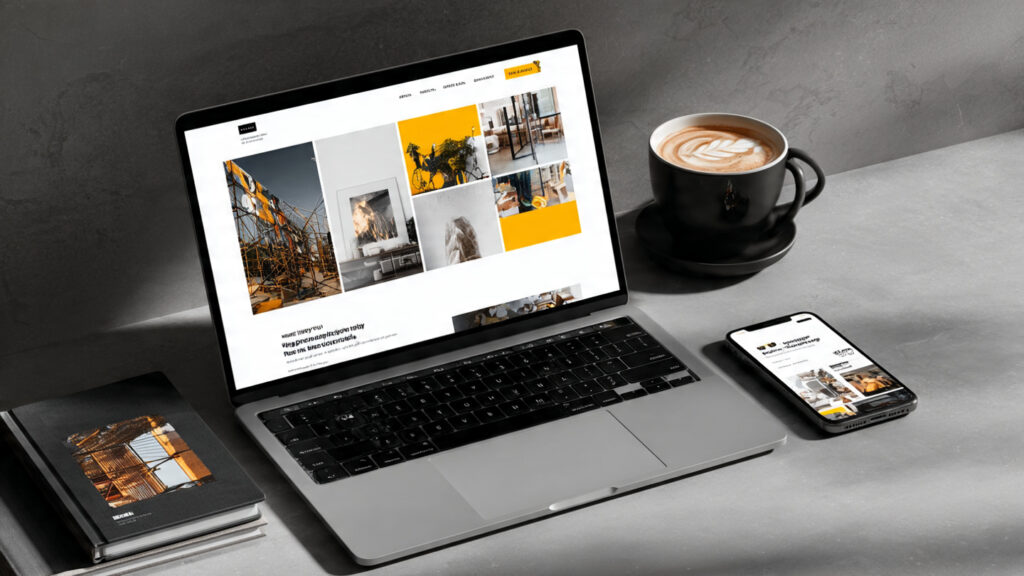
Essential Elements:
- Visual-first design with large project images
- Diverse work samples (logos, branding, print, digital)
- Case studies showing creative process
- Client list or testimonials
- Style variation demonstrating versatility
AI Tools Combination:
- Squarespace for beautiful visual presentation
- Canva for brand identity and supporting graphics
- Midjourney for unique header imagery
- ChatGPT for project storytelling
- Remove.bg for clean product shots
Standout Features:
- Interactive hover effects on project thumbnails
- Categorized work (branding, packaging, digital)
- Before/after project comparisons
- Creative process documentation
- Bold, memorable personal branding
Software Developer Portfolio
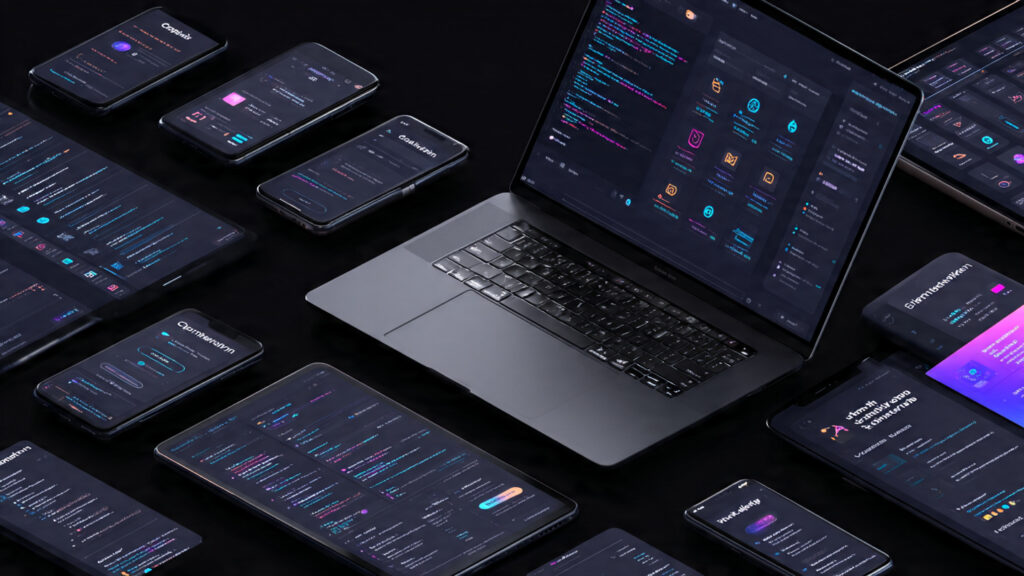
Essential Elements:
- Live project demos or GitHub links
- Technical stack for each project
- Code quality examples
- Problem-solving approach documentation
- Open source contributions showcase
AI Tools Combination:
- Webflow or Framer for technical sophistication
- ChatGPT for technical documentation
- Claude for detailed case studies
- GitHub integration showing code
- Custom animations demonstrating technical skill
Standout Features:
- Embedded code playgrounds
- Interactive project demonstrations
- Technical blog sharing insights
- API documentation samples
- Clear explanation of complex concepts
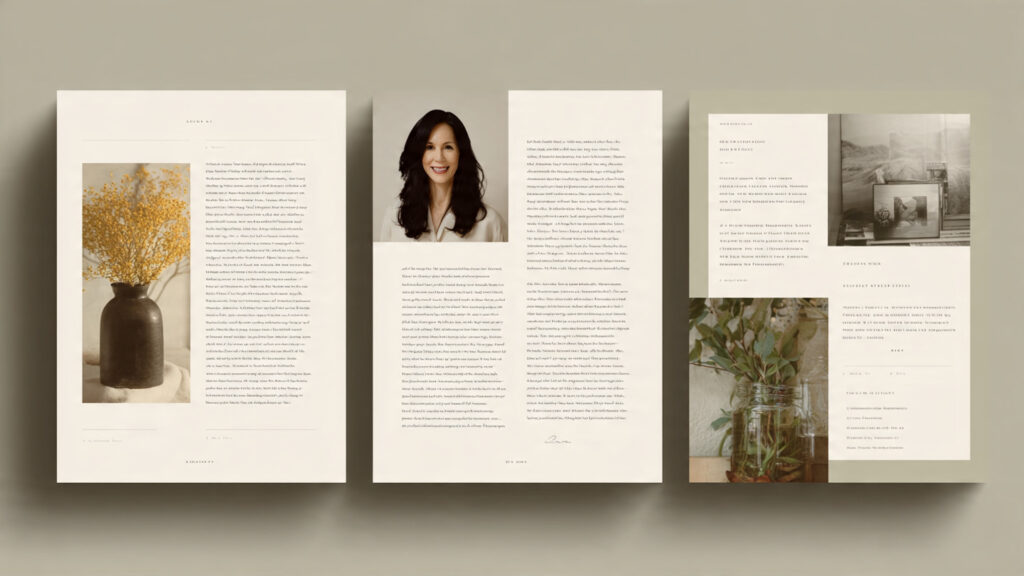
Writer/Content Creator Portfolio
Essential Elements:
- Published work samples with links
- Diverse writing styles (blog posts, articles, copy)
- Publication logos or byline screenshots
- Clear writing niches or specializations
- Engagement metrics when available
AI Tools Combination:
- Wix ADI for quick, professional setup
- ChatGPT for meta descriptions and summaries
- Grammarly ensuring flawless presentation
- Canva for featured images
- Simple, content-focused design
Standout Features:
- Excerpts with “Read More” links to full articles
- Categorized by topic or content type
- Testimonials from editors or clients
- Writing style guide or approach explanation
- Blog demonstrating current thinking
UX/UI Designer Portfolio
Essential Elements:
- Interactive prototypes
- User research documentation
- Design process walkthroughs
- Before/after redesign comparisons
- Measurable impact on user experience
AI Tools Combination:
- Framer for interactive presentation
- Figma embeds showing prototypes
- ChatGPT for UX case study structure
- Data visualization of research findings
- Animation showing user flows
Standout Features:
- Embedded Figma prototypes visitors can interact with
- User journey maps and personas
- A/B testing results and metrics
- Accessibility considerations highlighted
- Mobile app designs in device mockups
Marketing Professional Portfolio
Essential Elements:
- Campaign results with metrics
- Strategy documents or frameworks
- Multi-channel campaign examples
- ROI and conversion data
- Client or company testimonials
AI Tools Combination:
- Squarespace for professional presentation
- Canva for infographics and data visualizations
- ChatGPT for compelling case narratives
- Chart generators for results visualization
- Video embeds showing campaigns
Standout Features:
- Interactive data visualizations
- Campaign timeline presentations
- Before/after metrics comparisons
- Strategic thinking documentation
- Industry awards or recognition
Common Portfolio Mistakes to Avoid
Learning from others’ errors saves time and improves results.
Mistake 1: Information Overload
The Problem: Including every project you’ve ever completed overwhelms visitors and dilutes your strongest work.
The Fix: Feature 6-12 best projects demonstrating diverse skills and impressive results. Quality always trumps quantity. Create separate “Archive” section for additional work if desired.
AI Solution: Ask ChatGPT: “Review this list of 25 projects. Help me select the 8-10 that best demonstrate [desired skills] for [target audience], explaining why each should be included.”
Mistake 2: Poor Quality Images
The Problem: Blurry screenshots, amateur photography, inconsistent image styles damage professional credibility.
The Fix: Invest time in high-quality project documentation. Use AI enhancement tools, professional mockups, and consistent editing style.
AI Solution:
- Remove.bg for clean backgrounds
- Upscaling tools (Let’s Enhance, Topaz) improving resolution
- Canva mockup templates presenting work professionally
- Consistent filtering creating cohesive visual style
Mistake 3: Generic, Template-Like Content
The Problem: Portfolio reads like everyone else’s, failing to communicate what makes you unique.
The Fix: Inject personality, specific examples, and unique perspective into writing. Go beyond AI-generated content to add authenticity.
AI Solution: Use AI for structure and initial drafts, then extensively edit adding:
- Personal anecdotes and experiences
- Specific client interactions or challenges
- Your unique methodology or approach
- Distinctive voice and communication style
Mistake 4: Missing or Buried Contact Information
The Problem: Visitors struggle to figure out how to hire you or get in touch, losing opportunities.
The Fix: Make contact information prominent on every page—footer links, contact button in navigation, clear calls-to-action.
AI Solution: Use ChatGPT to write compelling call-to-action copy: “Generate three friendly but professional calls-to-action encouraging [target audience] to contact me about [project types].”
Mistake 5: Neglecting Mobile Experience
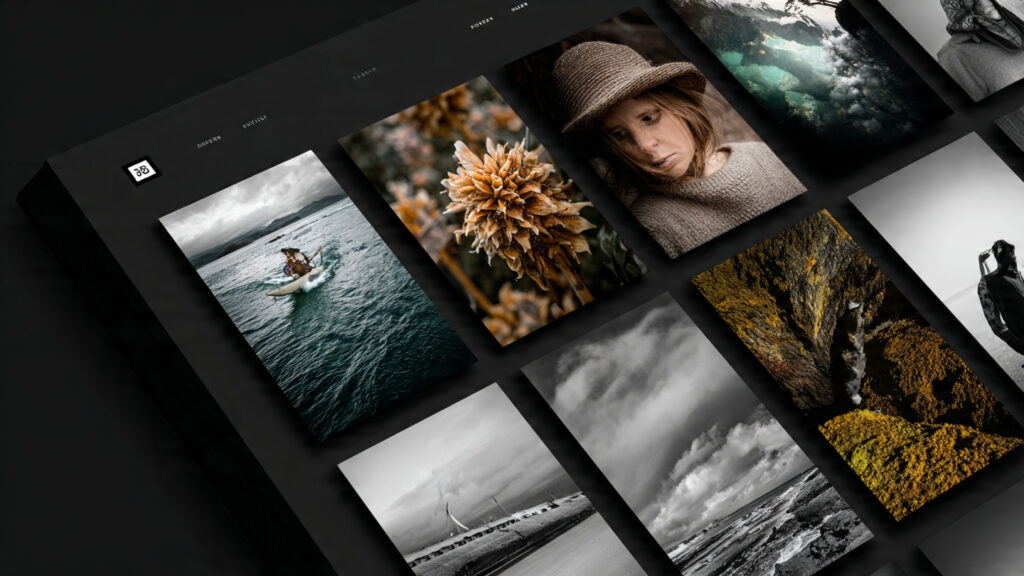
The Problem: Portfolio looks great on desktop but terrible on phones where 60%+ of visitors view it.
The Fix: Test extensively on actual mobile devices. Ensure text is readable, images scale properly, navigation works smoothly.
AI Solution: AI website builders automatically create mobile versions, but you must:
- Preview mobile version before launching
- Test forms on phone
- Verify images don’t slow loading
- Check touch-target sizes for links/buttons
Mistake 6: Outdated Content
The Problem: Last project listed is from 2 years ago, suggesting you’re no longer active or relevant.
The Fix: Update portfolio regularly (quarterly minimum) adding recent work, removing outdated projects, refreshing written content.
AI Solution: Set calendar reminders for portfolio updates. Use AI to quickly generate content for new projects, making updates less time-consuming.
Mistake 7: No Clear Professional Identity
The Problem: Portfolio fails to communicate clearly what you do and who you serve, confusing visitors about whether you’re right for their needs.
The Fix: Lead with clear positioning statement. Ensure immediate understanding of your specialty, experience level, and target clients/employers.
AI Solution: Prompt ChatGPT: “Write a compelling one-sentence positioning statement for a [your role] with [X years] experience specializing in [your specialty], targeting [your audience]. Make it clear, specific, and memorable.”
Mistake 8: Prioritizing Aesthetics Over Functionality
The Problem: Beautiful design that’s difficult to navigate, loads slowly, or obscures important information.
The Fix: Balance visual appeal with usability. Test navigation intuitively leads to desired content. Optimize for fast loading.
AI Solution: Website builders’ AI optimizes performance automatically, but verify:
- Page load time under 3 seconds
- Clear navigation labels
- Obvious next steps for visitors
- Accessible to users with disabilities
Cost Breakdown: Free vs. Paid AI Portfolio Tools
Understanding investment helps you make informed budget decisions.
Free/Low-Cost Option ($0-50/year)
Website: Wix Free Plan or 10Web Free Tier
- Subdomain (yourname.wixsite.com)
- Basic features sufficient for simple portfolio
- Platform branding displayed
Design: Canva Free Plan
- Logo and graphics with limited AI features
- Sufficient for initial brand identity
Content: ChatGPT Free (GPT-3.5)
- Unlimited text generation
- Good quality for portfolio writing
Images: Remove.bg free tier + free stock photos
- Limited high-resolution downloads
- Adequate for small portfolio
Total: $0-50/year (optional paid elements)
Best For: Students, career beginners, testing portfolio concept, very limited budget
Limitations: No custom domain, platform branding, limited features, basic AI capabilities
Mid-Range Professional Option ($200-400/year)
Website: Wix Combo Plan or Squarespace Personal
- $16-22/month ($192-264/year)
- Custom domain included
- No platform branding
- Full features
Design: Canva Pro
- $12.99/month ($156/year)
- Full AI features, unlimited designs
- Complete brand kit tools
Content: ChatGPT Plus
- $20/month ($240/year)
- GPT-4 access for better quality
- Faster generation
Images: Remove.bg subscription or premium stock
- $10/month ($120/year)
- Unlimited high-res downloads
Total: $300-400/year
Best For: Working professionals, freelancers, job seekers, anyone serious about portfolio quality
Benefits: Professional appearance, full control, advanced features, no compromises
Premium/Agency Option ($600-1,200/year)
Website: Webflow Business or Squarespace Business
- $39-49/month ($468-588/year)
- Advanced features, e-commerce, higher limits
- Multiple websites if needed
Design: Canva Teams + Midjourney Pro
- $30-60/month ($360-720/year)
- Advanced AI image generation
- Collaboration features
Content: ChatGPT Plus + Claude Pro + Grammarly Business
- $55/month ($660/year)
- Multiple AI tools for best quality
- Advanced editing features
Tools: Additional premium tools
- Logo generators, mockup tools
- Stock photo subscriptions
- Analytics and SEO tools
Total: $1,200-2,000+/year
Best For: Agencies, established businesses, premium personal branding, those treating portfolio as business investment
Benefits: Maximum quality, unlimited possibilities, professional-grade everything, competitive advantage
One-Time Investment Option
Website Builder: One-time website setup fee
- Hire freelancer for custom setup: $500-2,000
- Annual hosting: $50-200
Design Assets: One-time purchases
- Logo from Looka or Brandmark: $20-200
- Template purchases: $50-150
Ongoing Costs: Minimal
- Domain renewal: $15/year
- Hosting: $50-200/year
- Content updates: DIY with free AI tools
Total Upfront: $500-2,500 | Annual: $65-415
Best For: Those preferring upfront investment over subscriptions, technical users comfortable maintaining own site
SEO Best Practices for AI-Built Portfolios
Ensuring your portfolio appears in relevant searches increases opportunities.
Keyword Research and Implementation
Identify Target Keywords:
- Your name + profession (“Jane Smith graphic designer”)
- Your services + location (“UX designer San Francisco”)
- Your specialty + project types (“e-commerce website developer”)
Strategic Placement:
- Page titles and H1 headings
- First 100 words of page content
- Image alt text
- URL structure
- Meta descriptions
AI Keyword Help: Ask ChatGPT: “What keywords should I target in my portfolio as a [profession] in [location] specializing in [specialty]? Provide primary and secondary keywords.”
Technical SEO Optimization
Page Speed:
- Compress images before uploading
- Use modern image formats (WebP)
- Minimize code bloat (AI builders handle automatically)
- Enable caching and CDN
- Test with Google PageSpeed Insights
Mobile Optimization:
- Responsive design (AI builders default)
- Touch-friendly navigation
- Readable text without zooming
- Fast mobile loading
Structured Data:
- Add schema markup for professional profiles
- Include portfolio item markup
- Set up local business schema if relevant
- Test with Google’s Rich Results Test
AI Optimization Tools: Most AI website builders include SEO analysis suggesting improvements. Follow platform-specific recommendations.
Content Strategy for SEO
Regular Updates: Search engines favor frequently updated sites. Add new projects regularly, maintaining freshness.
Blog Content: Create content around your expertise:
- Industry insights and trends
- How-to guides in your specialty
- Case study deep-dives
- Professional development journey
AI Blog Generation: Use ChatGPT for blog outlines and drafts: “Generate 5 blog post ideas for a [profession] portfolio that would demonstrate expertise to [target audience] and attract search traffic.”
Link Building
Internal Linking:
- Connect related portfolio projects
- Link blog posts to relevant work
- Create clear site hierarchy
External Links:
- Professional profiles linking to portfolio
- Guest posts with portfolio byline
- Industry directories listing
- Social media profiles
Analytics and Monitoring
Track Performance:
- Google Analytics for traffic data
- Search Console for keyword rankings
- Conversion tracking for contact forms
- Heatmaps showing visitor behavior
AI Analysis: Use AI to interpret analytics: “I’m getting 1,000 monthly visitors but only 10 contact submissions. What might be wrong with my portfolio and how can I improve conversion?”
Frequently Asked Questions About AI Portfolio Tools
What are the best AI tools to build a portfolio?
The best AI tools for portfolio building include Wix ADI for easiest automated website creation, Squarespace for beautiful design templates with AI assistance, Framer for sophisticated interactive portfolios, Canva AI for brand identity and graphics, ChatGPT for content writing, and Remove.bg for image enhancement. Choose based on your profession, technical comfort level, and specific needs.
Can I build a professional portfolio using only AI tools?
Yes, you can build completely professional portfolios using only AI tools for website creation, design assets, content writing, and image enhancement. However, best results combine AI efficiency with human creativity—use AI for structure, initial designs, and content drafts, then add personal touches, unique examples, and authentic voice that only you can provide.
How much does it cost to build a portfolio with AI?
Portfolio costs range from $0 (using free tiers of Wix, Canva, and ChatGPT) to $300-400/year for professional setup with custom domain, premium features, and advanced AI tools, to $1,200+ for agency-grade solutions. Most working professionals find the $300-400/year mid-range option provides excellent value with no compromises on quality or features.
Do I need coding skills to use AI portfolio builders?
No coding skills are required for modern AI portfolio builders. Tools like Wix ADI, Squarespace, and Framer create professional portfolios through visual interfaces, conversational prompts, and drag-and-drop editing. AI handles technical complexity automatically while you focus on content and design decisions. Some platforms offer code access for advanced customization, but it’s entirely optional.
How long does it take to build a portfolio with AI tools?
Building a complete portfolio with AI tools typically takes 10-20 hours spread across 1-2 weeks: strategy (1 hour), platform setup and initial AI generation (2-3 hours), brand identity creation (1-2 hours), content writing with AI (3-4 hours), visual asset preparation (2-4 hours), website building (4-6 hours), and optimization (1-2 hours). Rushing produces inferior results; invest time for quality outcomes.
Can AI portfolio tools help with SEO?
Yes, most AI portfolio platforms include built-in SEO tools analyzing your site and providing optimization recommendations. They automatically generate sitemap files, create mobile-responsive designs, optimize page speed, and suggest keyword improvements. Additionally, ChatGPT can write SEO-optimized meta descriptions, titles, and content. Combine platform SEO features with AI content optimization for best search visibility.
What should I include in my AI-built portfolio?
Essential portfolio elements include: clear professional identity and value proposition, 6-12 best projects with compelling descriptions, professional about section explaining your background and approach, multiple contact methods and clear calls-to-action, high-quality images showcasing work, mobile-responsive design, fast loading speed, and regular content updates. Quality and focus matter more than quantity.
Are AI-generated portfolios good enough for professional use?
Yes, AI-generated portfolios meet professional standards when properly implemented. Many successful professionals, from designers to developers to consultants, use AI-built portfolios landing jobs and clients. The key is combining AI efficiency with human judgment—use AI for technical implementation and initial content, then add authentic personal elements, real project examples, and unique perspective that make your portfolio genuinely yours.
Conclusion: Your AI-Powered Portfolio Journey Starts Now
The barrier to creating an impressive professional portfolio has never been lower. AI tools democratize portfolio creation, delivering results that once required hiring expensive designers and developers, learning complex software, or spending weeks on technical implementation. Today, anyone with internet access can build stunning, professional portfolios in days using intelligent tools that automate technical complexity while preserving creative control.
Your portfolio represents more than a collection of past work—it’s an investment in your professional future. Every job opportunity, client project, speaking engagement, or career advancement often begins with someone reviewing your portfolio. The quality, professionalism, and effectiveness of that portfolio directly influence which opportunities materialize and which pass you by. In fields ranging from design and development to writing and consulting, your portfolio serves as proof of capability, demonstration of taste, and foundation for professional credibility.