
digestblog.com

Apps & Tools

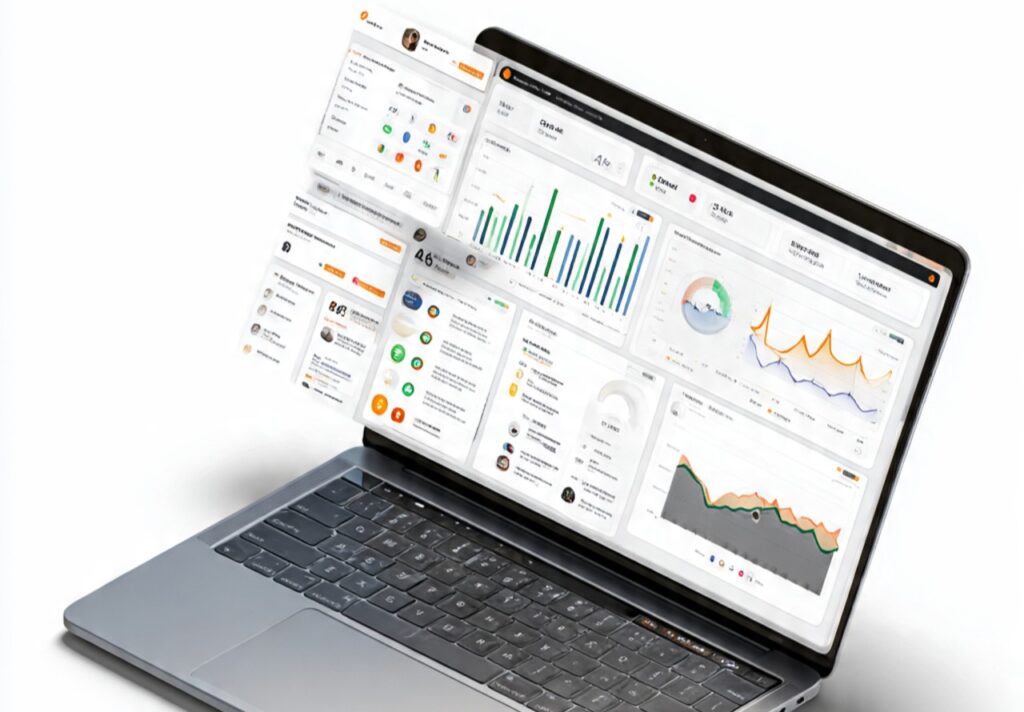
a modern digital workspace representing personal p

20 Best Apps for Personal Productivity in the AI Era

20 Best Apps for Personal Productivity and Personal Growth Personal productivity today is about much more than finishing tasks. It is about managing energy, focus, habits, health, and mental clarity in a world full of distractions. In the AI era, productivity apps quietly analyze behavior, reduce mental load, and help people build sustainable routines instead of short bursts of motivation. The best apps for personal productivity now support work, life, health, and self-growth together. Below is a carefully redesigned list of apps that help individuals manage their entire day, not just their job. 1. Notion Notion works like a personal digital brain. It allows users to organize tasks, goals, notes, journals, finances, and long-term plans in one place. Instead of switching between multiple apps, everything stays connected. AI features help summarize notes, generate plans, and structure ideas automatically. This makes Notion ideal for people who want clarity across work, study, and personal life. Over time, it reduces mental clutter and supports intentional living rather than reactive productivity. 2. Todoist Todoist is built for people who want consistency without complexity. It allows users to capture tasks instantly and organize them with simple priorities. AI-powered suggestions help identify recurring patterns and overdue habits. Rather than overwhelming users with endless lists, Todoist encourages realistic daily planning. This makes it especially useful for managing both personal responsibilities and work commitments while building discipline gradually. 3. Sunsama Sunsama focuses on mindful productivity rather than speed. It encourages users to plan their day intentionally by choosing what truly matters. The app integrates tasks from different tools and helps users reflect daily. AI insights prevent overloading schedules and promote balance between work and personal time. Sunsama is ideal for people who struggle with burnout and want productivity that supports mental well-being. 4. Google Calendar Google Calendar is one of the most powerful life-organization tools when used intentionally. It helps users visualize how time is spent across work, family, health, and rest. AI-powered scheduling suggestions reduce conflicts and improve time estimation. By blocking time for exercise, focus work, and relaxation, users gain control over their day instead of reacting to it. 5. TickTick TickTick combines task management, habit tracking, reminders, and focus tools in one app. Users can manage daily to-dos while also building habits like reading, exercise, or journaling. Smart reminders help maintain consistency without pressure. This makes TickTick especially effective for personal productivity that includes lifestyle improvement, not just work output. 6. Forest Forest helps users build focus by turning attention into a reward system. When users stay off distracting apps, a virtual tree grows. Over time, this simple mechanism trains better focus habits. Behavioral data encourages longer concentration sessions. Forest is ideal for students, creators, and professionals who want to reduce phone addiction and improve deep work. 7. RescueTime RescueTime runs in the background and tracks digital behavior automatically. It shows exactly how time is spent across apps and websites. AI insights help users identify distractions they may not notice consciously. This awareness allows better decisions about screen time, work patterns, and personal habits. RescueTime is powerful for people who want honest feedback about their productivity. 8. Freedom Freedom helps users block distracting websites and apps across devices. Instead of relying on willpower, it enforces focus automatically. AI identifies patterns of distraction and schedules focus sessions accordingly. This makes Freedom effective for maintaining discipline during work, study, or personal projects without constant self-control. 9. Habitica Habitica turns habit-building into a game. Daily routines, fitness goals, and personal tasks become part of a reward-based system. Users gain motivation through progress, streaks, and achievements. Behavioral reinforcement helps habits stick long-term. Habitica works well for people who struggle with motivation and want productivity to feel engaging. 10. Reflect Notes Reflect is designed for deep thinking and self-awareness. It connects ideas, thoughts, and reflections over time. AI helps link related notes automatically, creating a knowledge graph of personal insights. This supports journaling, emotional clarity, and long-term learning. Reflect is ideal for people who value thinking clearly as part of productivity. 11. Evernote Evernote acts as a long-term memory system. It stores notes, documents, goals, and ideas in one searchable place. AI-powered search allows users to retrieve information instantly. This reduces cognitive overload and saves time. Evernote supports both personal and professional productivity by keeping life information organized. 12. MyFitnessPal MyFitnessPal helps users develop awareness around food and nutrition. It tracks meals, calories, and nutrients while offering insights into eating patterns. AI recommendations guide healthier choices instead of extreme dieting. Physical health strongly affects energy and focus, making this app an important part of overall productivity. 13. Nike Training Club Nike Training Club offers guided workouts for all fitness levels. AI-personalized plans adapt to user progress and preferences. Regular exercise improves focus, mood, and energy levels. This app supports physical discipline, which directly enhances mental productivity and resilience. 14. Headspace Headspace focuses on mental clarity and emotional balance. Guided meditations help reduce stress, anxiety, and mental noise. AI adapts sessions based on user progress and needs. Regular mindfulness improves focus, decision-making, and emotional regulation, which are essential for sustainable productivity. 15. Sleep Cycle Sleep Cycle analyzes sleep patterns and helps users wake up at optimal times. AI insights improve sleep quality by identifying habits that affect rest. Good sleep is foundational for productivity, mood, and health. This app helps users optimize recovery rather than pushing through fatigue. 16. Brain.fm Brain.fm uses AI-generated soundscapes to improve focus, relaxation, or sleep. The music is scientifically designed to influence brain states. It helps users enter deep work or unwind effectively. Brain.fm supports productivity by regulating mental energy, not forcing concentration. 17. Clockify Clockify tracks how time is spent across different activities. Users gain visibility into work, learning, rest, and personal time. AI insights help identify inefficiencies and rebalance routines. Clockify is useful for people who want realistic planning and better time awareness. 18. Google Keep Google Keep is ideal for capturing quick ideas, reminders, and thoughts. Notes sync across devices instantly. AI

20 Best Apps for Personal Productivity in the AI Era Read More »

a realistic professional meeting room where a

Best AI Tools for Presentations

Best AI Tools for Presentations (Free & Paid Compared) Most people don’t need “the best AI tool.”They need the right tool for their situation — budget, skill level, deadline, and purpose. Some AI presentation tools look impressive but are useless for real work. Others are simple but extremely effective. Below is a practical breakdown so users don’t waste hours testing tools blindly. 1. Tome AI Free + Paid Free Version Paid Version Best For Not Best For Why It’s UsefulTome is strong at thinking structure, not decoration. If someone struggles with “what slide comes next,” Tome solves that problem better than most tools. However, design customization is limited. If visuals matter more than logic, Tome may feel restrictive. 2. Beautiful.ai Paid Only (Limited Trial) Free Trial Paid Version Best For Not Best For Why It’s UsefulBeautiful.ai is perfect for people who hate design work. The AI automatically adjusts layouts, spacing, and alignment, so slides always look professional. But it can feel rigid. If you like creative freedom, this tool may frustrate you. 3. Canva AI Free + Paid Free Version Paid Version (Canva Pro) Best For Not Best For Why It’s UsefulCanva AI balances ease + flexibility. It doesn’t lock users into AI decisions. You can edit everything easily, which makes it beginner-friendly. However, content quality still depends on the user. Canva helps with visuals more than logic. 4. Microsoft Copilot for PowerPoint Paid (Microsoft 365 Add-on) Free Version Paid Version Best For Not Best For Why It’s UsefulCopilot is powerful when users already have Word files, reports, or meeting notes. It saves massive time converting existing content into slides. But it’s expensive and unnecessary for simple presentations. 5. Gamma Free + Paid Free Version Paid Version Best For Not Best For Why It’s UsefulGamma is designed for reading, not presenting. It works well when slides are shared as links and consumed asynchronously. If your presentation relies on live speaking, Gamma may not fit. 6. SlidesAI Free + Paid Free Version Paid Version Best For Not Best For Why It’s UsefulSlidesAI is fast and simple. It’s not fancy, but it gets work done when deadlines are close. Design quality is average, so it’s best for academic or internal use. 7. Pitch Free + Paid Free Version Paid Version Best For Not Best For Why It’s UsefulPitch shines in team environments. AI helps maintain consistency while multiple people work on slides. For solo users, it may feel unnecessary. How Professionals Use AI Tools Without Letting AI Control the Message Experienced professionals use AI tools differently from beginners. They never ask AI to “create the full presentation.” Instead, they break the work into phases. First, they use AI only for idea organization. Then, they manually decide the core message. After that, they use AI again to improve clarity and wording, not direction. This keeps the presentation aligned with business goals. When AI controls the message, presentations feel generic. When humans control the message and AI supports execution, presentations feel confident and intentional. The Hidden Cost of Using the Wrong AI Presentation Tool Using the wrong tool does not just waste time — it creates confusion. For example, storytelling tools are often used for data-heavy presentations, which leads to weak credibility. Design-heavy tools are used for strategy discussions, which distracts decision-makers. The result is a mismatch between content and purpose. A good presentation tool should reduce mental load, not increase it. If users find themselves fighting the tool, rewriting everything, or exporting content to another platform, that tool is already costing more than it saves. How AI Presentation Tools Change Decision-Making (Good and Bad) AI tools make it easy to create slides quickly, but speed can hide weak thinking. When presentations are created too fast, people skip validation. Numbers are not checked, assumptions are not challenged, and logic gaps remain unnoticed. This can lead to poor business decisions, especially in client-facing or executive settings. Smart teams slow down at the final stage. They review AI-generated slides with a critical mindset, asking whether each slide supports a decision or simply fills space. This habit turns AI from a risk into a strategic advantage. Using AI Presentations to Build Authority, Not Just Slides Strong presentations do more than share information. They build trust. AI tools can help users sound confident, but authority comes from clarity, restraint, and relevance. Over-designed slides and long explanations reduce credibility. Professionals who use AI effectively focus on fewer slides, clearer points, and better delivery. AI handles structure and polish, while humans bring judgment and experience. This is how presentations stop being “just slides” and start influencing outcomes.

Best AI Tools for Presentations Read More »

a clean modern workspace illustration showing daily

Tools to Automate Daily Tasks for Smarter Workflows

Tools to Automate Daily Tasks Managing daily tasks manually wastes time, drains energy, and limits growth. Repeating the same actions every day—sending emails, organizing files, updating spreadsheets, scheduling meetings, tracking expenses—adds friction to work and life. Fortunately, modern automation tools eliminate this burden. This guide explains how to automate daily tasks properly, using real tools, real workflows, and real benefits. Every section focuses on practical automation, not abstract ideas. What Task Automation Actually Means Task automation means using software to perform routine actions automatically with little or no human input. Instead of doing the same steps repeatedly, you design a system once and let tools handle it continuously. Automation can be: The goal is simple:Reduce manual effort while improving consistency and speed. Categories of Daily Tasks You Can Automate Before choosing tools, it’s important to understand what can be automated. Common Automatable Tasks Now let’s explore each category in depth, along with specific tools and workflows. 1. Automating Email Tasks Email consumes more time than almost any other daily activity. Automation here delivers immediate relief. What You Can Automate Tools That Help Gmail Filters / Outlook Rules Superhuman SaneBox Zapier How This Helps 2. Automating To-Do Lists and Task Management Managing tasks manually leads to missed deadlines and stress. Automation keeps everything structured. What You Can Automate Tools That Help Todoist ClickUp Notion Motion Automation Example 3. Automating File Organization Manually organizing files is time-consuming and inconsistent. What You Can Automate Tools That Help Google Drive Automation Dropbox Zapier / Make Example Workflow 4. Automating Data Entry and Spreadsheets Manual data entry is slow and error-prone. What You Can Automate Tools That Help Google Forms + Sheets Airtable Zapier Automation Benefit 5. Automating Meeting Scheduling Scheduling meetings manually creates endless back-and-forth emails. What You Can Automate Tools That Help Calendly Motion Google Calendar Automation Workflow Example 6. Automating Notes and Documentation Writing notes manually often leads to lost information. What You Can Automate Tools That Help Notion AI Otter.ai Evernote Result 7. Automating Social Media Tasks Daily posting manually is exhausting and inconsistent. What You Can Automate Tools That Help Buffer Hootsuite Publer Zapier Automation Impact 8. Automating Customer Support Responding to repetitive questions wastes time. What You Can Automate Tools That Help Tidio Intercom Zendesk Chatbot Example 9. Automating Personal Productivity Automation isn’t only for work. What You Can Automate Tools That Help IFTTT Todoist Google Assistant Example 10. Automating Expense Tracking and Finance Tasks Financial tasks are repetitive but critical. What You Can Automate Tools That Help Expensify QuickBooks Wave Automation Result 11. Automation Tools That Connect Everything The real power comes from connecting tools together. Integration Platforms Zapier Make Power Automate Example How to Start Automating Without Overwhelm Step-by-Step Approach Avoid automating everything at once. Mistakes to Avoid in Task Automation Simple automation beats complex systems. Long-Term Benefits of Automating Daily Tasks Automation isn’t about replacing humans.It’s about freeing humans to do meaningful work.

Tools to Automate Daily Tasks for Smarter Workflows Read More »

a modern digital workspace showing a laptop (1)

AI-Powered Tools for Online Growth

AI-Powered Tools for Online Growth Online growth today is no longer about doing everything manually. Instead, AI-powered tools for online growth have changed how individuals, startups, and businesses scale faster, smarter, and with fewer resources. Rather than guessing what works, AI now helps predict, automate, and optimize every step of growth. More importantly, growth is no longer limited to big teams or large budgets. With the right AI-powered tools, even a solo creator or small business can compete at scale. However, tools alone do not guarantee success. What truly matters is how you use them. This article focuses only on practical AI-powered tools for online growth and explains how they directly help with content, traffic, SEO, social media, email marketing, conversions, and long-term scaling—without unnecessary explanations. AI-Powered Tools for Content Growth Content remains the foundation of online growth. However, producing consistent, high-quality content manually often leads to burnout. This is where AI-powered tools for online growth become extremely valuable. Using AI Writing Tools for Scalable Content AI writing tools help speed up content creation while maintaining quality. Instead of replacing creativity, they support brainstorming, structuring, and drafting. Popular tools include: Instead of writing from scratch, you can: As a result, content volume increases without sacrificing clarity. AI Tools for Visual Content Growth Written content alone is not enough. Visuals play a critical role in engagement, especially on social media and landing pages. AI-powered tools help create visuals without design skills. Recommended tools: Because visuals influence user behavior, AI-generated images help: AI-Powered Tools for SEO and Organic Growth Organic traffic is still one of the most sustainable growth channels. However, SEO has become increasingly complex. Thankfully, AI-powered tools for online growth simplify the process. Keyword Research and Content Optimization Tools AI tools analyze massive datasets to identify ranking opportunities. Top tools include: Instead of guessing keywords, these tools: Consequently, SEO becomes data-driven rather than assumption-based. AI Tools for Content Updating and SEO Maintenance SEO is not a one-time task. Older content often needs updates. AI-powered tools help by: This approach ensures long-term growth without constantly creating new content. AI-Powered Tools for Social Media Growth Social media growth requires consistency, timing, and engagement. Managing all of this manually becomes overwhelming quickly. That is why AI-powered tools for online growth play a crucial role in social media strategies. AI Scheduling and Optimization Tools These tools analyze audience behavior to determine the best posting times. Effective tools include: Instead of posting randomly, AI tools help: AI Tools for Social Media Content Ideas Running out of ideas slows growth. AI solves this problem efficiently. With AI tools, you can: As a result, content creation becomes smoother and faster. AI-Powered Tools for Email Marketing Growth Email marketing remains one of the highest ROI channels. However, personalization is key—and AI excels here. AI Tools for Email Automation and Personalization AI-powered tools segment audiences and personalize messages automatically. Recommended tools: Using these tools, you can: Therefore, email campaigns feel human rather than robotic. AI Tools for Email Performance Optimization AI analyzes user behavior to: This leads to consistent growth without manual testing. AI-Powered Tools for Website and Conversion Growth Traffic alone does not guarantee growth. Conversion optimization is equally important. AI Tools for User Behavior Analysis Understanding how users interact with your site is critical. Top tools include: These tools help identify: As a result, websites become more user-friendly and conversion-focused. AI Tools for Chatbots and Customer Support AI chatbots improve user experience while reducing workload. Popular tools: Chatbots help: AI-Powered Tools for Analytics and Decision-Making Growth depends on making the right decisions at the right time. AI Analytics Tools for Smarter Growth AI-powered analytics tools convert raw data into actionable insights. Useful tools include: These tools help you: How to Use AI-Powered Tools for Online Growth Effectively Using too many tools at once can hurt productivity. Therefore, the key is strategic usage. Best practices include: When used correctly, AI-powered tools for online growth amplify effort rather than replace thinking. Common Mistakes to Avoid When Using AI Tools Despite their power, AI tools can backfire if misused. Avoid: Instead, treat AI as a growth partner, not a shortcut. The Future of AI-Powered Tools for Online Growth AI tools will continue to evolve. Soon, we will see: Those who adapt early will gain a competitive advantage. Conclusion: Growing Smarter with AI-Powered Tools In today’s digital landscape, growth is no longer about working harder—it is about working smarter. AI-powered tools for online growth enable creators, businesses, and marketers to scale efficiently, make informed decisions, and stay competitive. When used strategically, these tools save time, increase accuracy, and unlock opportunities that were previously impossible. The real power lies not in the tools themselves, but in how intelligently they are applied. If growth matters to you, learning and using AI-powered tools is no longer optional—it is essential.

AI-Powered Tools for Online Growth Read More »

a premium featured image for a blog

AI Solutions for Online Businesses

Best AI Tools to Build Portfolios: Complete Guide to Creating Professional Portfolios with AI Building a strong online business starts with trust. Before anyone hires you, buys from you, or contacts you, they judge your portfolio. Unfortunately, creating a professional portfolio used to require designers, developers, and long hours. Today, AI solutions online business owners use have completely changed that process. AI-powered tools now help you design, write, optimize, market, and manage your portfolio efficiently. Instead of struggling with technical details, you can focus on showing your work clearly and growing your business faster. This article focuses on real AI tools, what they do, and how online businesses actually use them. AI Website Builders for Portfolio Creation A portfolio starts with a website. AI website builders allow online businesses to create clean, professional portfolios without coding or design experience. Popular tools: These tools automatically generate layouts, color schemes, and page structures based on your business type. You simply answer a few questions, and the portfolio is created instantly. Online businesses use these tools to: This is one of the most practical AI solutions online business owners rely on to save time and cost. AI Design Tools for Visual Consistency Visual quality matters. Poor visuals reduce trust instantly. AI design tools help maintain a consistent, professional look across your portfolio. Commonly used tools: These tools generate banners, thumbnails, logos, and graphics aligned with your brand. Instead of manually designing visuals, online businesses use AI to produce polished designs in minutes. This ensures: AI Content Writing Tools for Portfolio Pages Most portfolios fail because the content is unclear. AI writing tools help businesses explain their services, experience, and results in simple language. Reliable tools include: These tools help write: Online businesses use AI to structure content clearly, remove unnecessary words, and improve readability. Instead of sounding robotic, these tools help shape clean, professional messaging when edited properly. AI SEO Tools to Make Portfolios Discoverable A portfolio has no value if it doesn’t appear in search results. AI SEO tools help online businesses optimize their portfolio pages correctly. Widely used tools: These tools analyze keywords, suggest improvements, and help structure content for better visibility. Online businesses use them to optimize service pages, project descriptions, and blog sections that support their portfolio. This makes AI solutions online business growth-focused, not just design-focused. AI Marketing Tools to Drive Traffic to Portfolios After building a portfolio, traffic becomes the next challenge. AI marketing tools help businesses promote their work consistently. Popular tools: These tools generate captions, schedule posts, and analyze engagement. Online businesses use them to share portfolio updates on social media without spending hours planning content. This keeps the portfolio visible and active across platforms. AI Chatbot Tools for Portfolio Websites Visitors often leave portfolios because they don’t get quick answers. AI chatbots solve this problem effectively. Common chatbot tools: These tools answer common questions, guide visitors to services, and collect leads automatically. Online businesses use chatbots to turn portfolio visitors into inquiries, even outside working hours. This improves customer experience without hiring support staff. AI Automation Tools for Managing Online Business Tasks Managing a portfolio also involves backend work. AI automation tools help streamline operations. Useful tools include: These tools automate email replies, form submissions, CRM updates, and lead tracking. Online businesses use automation to avoid repetitive tasks and focus on client work. AI Analytics Tools to Improve Portfolio Performance Understanding visitor behavior helps improve results. AI analytics tools turn data into clear insights. Common tools: Online businesses use these tools to analyze which portfolio sections perform best, where users drop off, and what content converts better. This helps refine portfolios based on real behavior, not assumptions. AI Productivity Tools for Online Business Owners Running an online business involves constant multitasking. AI productivity tools help manage work efficiently. Popular tools: These tools help plan tasks, manage deadlines, and optimize daily workflows. Online businesses use them to stay focused and reduce burnout. Choosing the Right AI Solutions for Your Online Business Not every tool is necessary. Successful online businesses choose AI tools based on needs, not trends. The best approach is to: This keeps workflows simple and manageable.

AI Solutions for Online Businesses Read More »

professional split screen showing transformation from blank canvas

Best AI Tools to Build Portfolios: Complete Guide

Best AI Tools to Build Portfolios: Complete Guide to Creating Professional Portfolios with AI in 2025 Why Your Portfolio Matters More Than Ever Traditional portfolio creation required significant investment—hiring web developers, learning complex design software, spending weeks perfecting every detail, and often paying thousands of dollars for professional results. The barrier to entry kept many talented professionals from presenting their work effectively online, limiting opportunities and career growth. Artificial intelligence has revolutionized portfolio creation. AI tools for portfolio building now enable anyone to create stunning, professional portfolios in hours instead of weeks, at a fraction of traditional costs, without coding knowledge or design expertise. From AI-powered website builders that generate complete portfolio sites from simple prompts to design tools creating custom graphics and logos, content generators writing compelling project descriptions, and optimization systems ensuring your portfolio ranks in search results—AI handles technical complexity while you focus on showcasing your best work. What Makes a Great Portfolio: Essential Elements Before exploring specific AI tools, understanding portfolio fundamentals ensures you leverage these technologies effectively to create maximum impact. Clear Professional Identity Your portfolio must immediately communicate who you are and what you do. Visitors should understand your specialization, expertise level, and unique value within seconds of landing on your site. Essential Elements: AI Tools Help: AI writing assistants craft attention-grabbing headlines and value propositions, while AI image tools enhance or generate professional photos and personal branding elements. Best Work Showcased Prominently Quality trumps quantity—showcase 6-12 exceptional projects rather than every piece you’ve ever created. Each project should demonstrate specific skills, results achieved, and your problem-solving approach. Project Presentation Should Include: AI Tools Help: AI content generators write compelling project descriptions, image enhancement tools improve visual quality, and AI layout systems organize projects for maximum visual impact. Mobile-Responsive Design Over 60% of portfolio views occur on mobile devices. Your portfolio must display beautifully and function flawlessly across smartphones, tablets, and desktop computers. Responsive Requirements: AI Tools Help: Modern AI website builders automatically create responsive designs, while AI optimization tools ensure fast loading and mobile performance. Easy Contact and Call-to-Action Making it effortless for opportunities to reach you is crucial. Clear contact methods and compelling calls-to-action convert portfolio visitors into clients, employers, or collaborators. Contact Elements: AI Tools Help: AI chatbots provide instant engagement, smart forms streamline inquiries, and AI writing tools craft effective calls-to-action. Professional Polish and Attention to Detail Small details signal professionalism—error-free writing, consistent formatting, high-quality images, and thoughtful design choices demonstrate the care you bring to work. Quality Indicators: AI Tools Help: AI proofreading catches errors, design systems ensure consistency, image enhancement improves quality, and AI monitors check for broken links. Best AI Website Builders for Portfolios Complete portfolio platforms using AI to simplify website creation from start to finish. 1. Wix ADI (Artificial Design Intelligence) Wix ADI represents one of the most accessible AI portfolio builders, creating complete websites through conversational interface. How It Works: Step 1 – Tell Wix About Yourself: Answer questions about your profession, portfolio purpose, and style preferences through simple conversation. Step 2 – AI Analyzes Requirements: Wix ADI processes your responses, analyzing your industry, competitors, and design trends to determine optimal portfolio structure. Step 3 – Generate Complete Website: AI creates entire portfolio including layout, color scheme, typography, navigation structure, and placeholder content customized to your field. Step 4 – Customize as Needed: Drag-and-drop editor allows easy customization of AI-generated design, adding your actual projects, adjusting colors, modifying layouts. Step 5 – Publish Instantly: One-click publishing makes portfolio live with optional custom domain connection. Key Features: AI Design Matching: Analyzes successful portfolios in your industry, applying proven design patterns to your site. Content Suggestions: AI recommends sections, page structures, and content types based on your profession. Image Optimization: Automatically enhances uploaded images, adjusting dimensions, compression, and display for optimal quality and performance. SEO Assistance: Built-in AI SEO tools optimize titles, descriptions, and structure for search visibility. Mobile Optimization: Automatically creates mobile-responsive versions ensuring perfect display across devices. Pricing: Best For: Beginners seeking easy portfolio creation, creatives wanting design freedom without coding, professionals needing fast deployment. Limitations: Less control than pure coding, premium features require paid plans, some design constraints compared to custom development. Real Success Story: Graphic designer Sarah Martinez built her portfolio in 3 hours using Wix ADI, landing her first freelance client within a week. The AI-suggested layout showcased her illustration work perfectly, and she’s since secured $50,000+ in projects through portfolio inquiries. 2. Squarespace AI Squarespace combines design excellence with AI assistance, offering sophisticated portfolio templates enhanced by intelligent features. How It Works: Template Selection: Choose from 100+ designer-quality templates optimized for various creative professions. AI Layout Suggestions: As you add content, Squarespace AI recommends optimal layouts, image arrangements, and spacing based on professional design principles. Smart Content Organization: AI analyzes your projects and suggests organizational structures—chronological, by category, by client type—that best showcase your work. Automatic Style Matching: When you upload images or add text, AI adjusts surrounding design elements maintaining visual harmony. Key Features: Designer Templates: Professional layouts created by award-winning designers, refined by AI for optimal user experience. Portfolio-Specific Features: Built-in galleries, lightboxes, and project showcase formats designed specifically for creative work. E-commerce Integration: Sell prints, services, or products directly through portfolio with AI-powered inventory and pricing optimization. Analytics Insights: AI analyzes visitor behavior, identifying which projects attract most attention and suggesting portfolio improvements. Cover Pages: Create stunning landing pages highlighting featured work before visitors enter full portfolio. Pricing: Best For: Designers and creatives prioritizing aesthetics, photographers needing gallery features, professionals wanting sophisticated design without complexity. Limitations: Less AI automation than Wix ADI, requires more manual design decisions, learning curve for advanced features. Real Success Story: Photographer James Chen migrated his portfolio to Squarespace, using AI layout suggestions to reorganize 200+ photos. The improved organization and stunning gallery displays increased client inquiries by 300%, with several corporate clients citing his portfolio as reason for hiring him. 3. Framer AI Framer leverages AI for sophisticated portfolio creation, particularly

Best AI Tools to Build Portfolios: Complete Guide Read More »

a digital illustration showing a student or

How AI Detectors Work: Complete Guide & Examples 2025

How AI Detectors Work: Complete Guide to Detecting AI-Generated Content in 2025 The Growing Need for AI Detection Artificial intelligence has revolutionized content creation, with tools like ChatGPT, Claude, and Gemini generating human-quality text in seconds. Students complete essays instantly, marketers produce thousands of articles effortlessly, and professionals draft reports with AI assistance. This explosion of AI-generated content has created an urgent need for reliable detection—schools need to identify AI-written essays, publishers must verify content authenticity, and platforms require tools to detect automated spam and misinformation. AI detectors represent the technological response to this challenge. These sophisticated systems analyze text to determine whether humans or artificial intelligence created it, examining patterns invisible to human readers. Understanding how AI detectors work has become essential for educators evaluating student submissions, content creators ensuring originality, businesses maintaining quality standards, and anyone navigating the increasingly blurred line between human and machine-generated content. The accuracy and reliability of AI detection technology directly impact critical decisions—academic integrity determinations, content monetization eligibility, hiring decisions based on writing samples, and legal proceedings involving content authenticity. Yet AI detectors remain imperfect, with false positives flagging human writing as AI-generated and sophisticated techniques evading detection. This comprehensive guide reveals the technical mechanisms behind AI detection, examines real-world accuracy, explores limitations and challenges, and provides practical guidance for both detecting AI content and understanding detection results. What is an AI Detector? Understanding the Technology An AI detector (also called AI content detector or AI writing detector) is a software tool that analyzes text to determine the probability that artificial intelligence, rather than a human, generated it. These systems use machine learning algorithms trained to recognize patterns, linguistic features, and statistical properties characteristic of AI-generated versus human-written content. Core Function and Purpose AI detectors serve as authenticity verification systems for written content. Just as plagiarism detectors compare text against existing sources, AI detectors analyze inherent characteristics distinguishing machine from human writing. Rather than checking for copied content, these tools identify telltale signs of AI generation patterns. Primary Applications: Academic Integrity: Schools and universities use AI detectors to identify students submitting AI-written essays, maintaining educational standards requiring original student work. Content Verification: Publishers, platforms, and media organizations verify content authenticity, ensuring human authorship where required or disclosed AI assistance where present. Quality Assurance: Businesses employing writers use AI detection to ensure deliverables meet human-authorship requirements and contract terms. Platform Moderation: Social media and content platforms identify AI-generated spam, fake reviews, automated misinformation campaigns, and bot-generated comments. Legal and Professional Contexts: Courts, licensing boards, and professional organizations verify document authenticity in contexts where AI-generated content raises concerns. How AI Detectors Differ from Plagiarism Checkers Understanding this distinction clarifies what AI detectors actually do: Plagiarism Detectors: AI Detectors: Key Difference: AI detectors analyze how text was written (human patterns vs. AI patterns), while plagiarism checkers identify what was copied (matching existing sources). The Challenge: Distinguishing Human from AI Writing Modern language models generate remarkably human-like text, making detection technically challenging. AI writing exhibits: High Grammatical Accuracy: Fewer errors than typical human writing Coherent Structure: Logical flow and organization Contextual Relevance: Appropriate vocabulary and topic knowledge Natural Language: Sentences that sound authentically human This quality makes simple rule-based detection ineffective. AI detectors must identify subtle statistical patterns, linguistic fingerprints, and stylistic characteristics that distinguish even sophisticated AI text from human authorship. The Science Behind AI Detection: Core Mechanisms AI detectors employ multiple analytical techniques to identify machine-generated content. Understanding these mechanisms reveals both capabilities and limitations. Mechanism 1: Perplexity Analysis Perplexity measures how “surprised” a language model is by text. Lower perplexity indicates predictable, expected word sequences; higher perplexity suggests unexpected, creative language choices. How It Works: Language models assign probabilities to word sequences based on training data. When analyzing text, detectors calculate how predictable each word choice is given previous context. AI-generated text typically shows lower perplexity because AI models naturally select high-probability words—the most statistically likely next word. Example Analysis: Human Writing: “The thunderous storm unleashed its fury, drenching everything in sight.” AI Writing: “The heavy rain caused significant flooding in the area.” Detection Signal: Consistently low perplexity across an entire text suggests AI generation, as humans naturally include more unpredictable word choices, creative expressions, and idiosyncratic phrasing. Limitations: Advanced prompting techniques can increase AI output perplexity, and some human writing (especially technical or formal writing) naturally shows lower perplexity, creating false positives. Mechanism 2: Burstiness Analysis Burstiness measures variation in sentence length, complexity, and structure throughout text. Humans write with natural variability—some sentences short and punchy, others long and complex. AI often produces more uniform output. How It Works: Detectors analyze sentence length distribution, syntactic complexity variation, paragraph structure consistency, and rhythm changes throughout text. Human writing typically shows higher burstiness with deliberate variation for emphasis, pacing, and style. Example Analysis: Human Writing: AI Writing: Detection Signal: Text with consistent sentence length, uniform complexity, and regular structure suggests AI generation. Human writers naturally vary pacing and structure for rhetorical effect. Limitations: Technical writing, scientific papers, and formal business documents often require consistent structure, reducing natural burstiness and potentially triggering false positives. Mechanism 3: Statistical Pattern Recognition AI detectors analyze numerous statistical features distinguishing human from machine-generated text: N-gram Frequency Analysis: Examining common word sequences (bigrams, trigrams) that appear with different frequencies in human versus AI writing. Vocabulary Diversity: Measuring lexical richness and repetition patterns. AI sometimes shows specific vocabulary biases from training data. Transition Probability Patterns: Analyzing how likely specific word transitions are. AI models favor high-probability transitions consistently. Syntactic Pattern Distribution: Examining sentence structure variety. AI may overuse certain grammatical constructions while underusing others. Semantic Coherence Measures: Evaluating meaning consistency and topical flow. AI sometimes maintains more uniform semantic density than human writing. Mechanism 4: Machine Learning Classifiers Modern AI detectors employ trained machine learning models that learn to distinguish human from AI writing through exposure to millions of examples. Training Process: Popular Classification Approaches: Supervised Learning Models: Train on labeled examples of human and AI text, learning discriminative features. Most

How AI Detectors Work: Complete Guide & Examples 2025 Read More »

a professional student workspace showing a laptop

Manage Study Material Efficiently Using AI Tools: The Complete Guide

Manage Study Material Efficiently Using AI Tools: The Complete Guide In today’s fast-paced academic world, students often face a common problem: too much information, too little time. From textbooks and lecture slides to online articles and research papers, study material accumulates rapidly, creating stress and inefficiency. This is where technology, especially AI tools, comes into play. Managing study material efficiently using AI tools allows students to organize content, summarize complex topics, and focus on learning rather than just collecting notes. AI doesn’t replace understanding but acts as a smart assistant, helping learners spend more time thinking and less time copying or searching. In this article, we will explore how AI tools can transform study habits, improve retention, and make learning more structured, personalized, and effective. Understanding the Problem: Why Study Material Gets Overwhelming Before exploring AI solutions, it’s important to recognize why study material becomes overwhelming: Clearly, traditional note-taking and manual organization are no longer sufficient. This is why AI tools are becoming essential for modern learners. How AI Can Help Manage Study Material Efficiently AI tools work as intelligent assistants rather than replacements for human effort. Here’s how they help: Step 1: Collecting and Digitizing Study Material Efficient AI-based management begins with digital organization. Here’s how to start: Once material is digitized, AI tools can analyze, categorize, and summarize content seamlessly. Step 2: Summarizing Study Material Using AI Summarization is the most powerful feature for efficient learning: Example: A 30-page chapter can be summarized into 2–3 pages of essential notes, saving hours of review time. Step 3: Organizing Notes and Materials AI doesn’t just summarize; it structures your study material efficiently: Structured material enhances recall and reduces cognitive overload. Step 4: Search and Retrieval of Information AI enables semantic search, meaning it understands context rather than just keywords: This ensures that students spend more time learning and less time searching. Step 5: Personalized Study Plans and Progress Tracking AI can create dynamic study schedules based on your strengths, weaknesses, and deadlines: This turns scattered study material into an adaptive, intelligent learning system. Step 6: Collaborative Learning with AI AI tools also facilitate group learning: This is particularly useful for project-based learning or exam group studies. Step 7: Avoiding Common Mistakes in AI-Assisted Study Even with AI, mistakes happen. To maximize efficiency: Smart supervision ensures AI works as intended. Step 8: Recommended AI Tools for Study Material Management Here’s a practical toolkit: These tools together create a comprehensive AI study assistant. Step 9: Benefits of Using AI Tools for Study Material By managing material efficiently with AI, students gain: Step 10: Future of AI in Education AI in education is still evolving: The future promises seamless integration of AI into everyday study routines. Step 11: Using AI for Multi-Format Study Material Modern learning involves text, audio, video, and interactive content. Managing all these formats manually is overwhelming. AI tools now help in cross-format summarization and organization: By consolidating all formats, students can study from a single AI-driven dashboard, improving efficiency and retention. Step 12: AI-Powered Revision Strategies Efficient study is not just about collecting notes—it’s about smart revision. AI enables advanced revision methods: For example, if a student struggles with a specific math formula, AI detects repeated errors and prioritizes it in the next review session automatically. Step 13: AI for Collaborative Study AI can enhance group study efficiency: Collaborative AI ensures that group study is organized, focused, and less chaotic, even for large classes or project teams. Step 14: Real-Life Case Study: AI in Action Imagine a university student preparing for final exams in multiple subjects: Result: The student reduces study time by 40–50%, improves retention, and feels more confident, demonstrating how AI turns study chaos into structured learning. Step 15: Overcoming Common Challenges While Using AI Even with AI, some challenges persist: Strategies to overcome these challenges: This ensures AI complements learning rather than replacing it. Step 16: AI and Exam Preparation AI can transform exam prep from stressful to systematic: Students using AI in exam prep report higher efficiency and reduced anxiety, as they focus on understanding and retention rather than rote reading. Step 17: AI for Long-Term Knowledge Retention Efficient study isn’t just about passing exams—it’s about retaining knowledge for years: By combining summarization, spaced repetition, and knowledge graphs, AI helps students build a personal, long-term knowledge database. Conclusion: Smart Learning with AI Managing study material efficiently using AI tools is no longer optional—it’s becoming a necessity for modern students. By digitizing, summarizing, organizing, and personalizing study material, AI transforms chaotic notes into structured, actionable learning resources. When used wisely, AI tools save time, improve understanding, and reduce stress—allowing students to focus on the most important goal: learning effectively. With AI, your study material is not just notes—it becomes a smart, evolving system that works for you.

Manage Study Material Efficiently Using AI Tools: The Complete Guide Read More »

a realistic illustration of a person interacting

Why AI Chat Tools Give Wrong Answers and How to Reduce Them

Why AI Chat Tools Give Wrong Answers and How to Reduce Them Why AI chat tools give wrong answers is one of the most common questions users ask today—and for good reason. These tools feel intelligent, confident, and fast. Yet, at times, they provide responses that are incomplete, outdated, misleading, or simply incorrect. At first glance, this seems confusing. After all, AI chat tools are trained on massive amounts of data and use advanced machine learning models. So why do mistakes still happen? The answer lies not in a single flaw, but in a combination of how AI is trained, how it predicts text, and how humans interact with it. More importantly, many of these errors can be reduced significantly if users understand the limitations and learn how to work with AI more effectively. This article explores the real reasons behind AI inaccuracies and, more importantly, explains how to reduce wrong answers in practical, everyday use. How AI Chat Tools Actually Work (Not How We Think They Work) Before understanding mistakes, it’s essential to understand how AI chat tools generate answers. AI chat systems do not “know” facts in the human sense. Instead, they predict the most likely next word based on patterns learned from data. In other words, they generate responses based on probability, not understanding. As a result: Because of this, an answer that sounds correct may still be wrong. Reason 1: AI Predicts Language, Not Truth One major reason AI chat tools give wrong answers is that they are designed to produce plausible text, not guaranteed facts. When you ask a question, the AI predicts what a helpful answer should sound like. If the training data contains mixed, outdated, or conflicting information, the model may produce an answer that appears confident but lacks accuracy. Therefore, confidence in tone should never be mistaken for correctness. Reason 2: Training Data Has Limits and Gaps AI models are trained on vast datasets—but vast does not mean complete or perfect. Common data limitations include: As a result, AI may struggle with: Consequently, answers may be partially correct but contextually wrong. Reason 3: Ambiguous or Vague User Prompts Another overlooked reason AI chat tools give wrong answers is unclear user input. AI cannot ask clarifying questions the way humans naturally do unless prompted. Therefore, when a question is vague, the model fills in assumptions—which may not match user intent. For example: Because of this, vague prompts almost always increase error rates. Reason 4: Hallucinations in AI Responses One of the most dangerous failure modes of AI chat tools is hallucination. AI hallucination occurs when a model: Importantly, hallucinations are not intentional. They happen because the model is trying to be helpful, even when it lacks reliable information. This is why AI may: Reason 5: Overgeneralization From Patterns AI learns from patterns. However, patterns do not always apply universally. When an AI sees similar examples repeatedly, it may assume a rule applies everywhere—even when exceptions exist. As a result, answers become generally correct but specifically wrong. This is especially common in: Therefore, AI responses should never replace expert validation in critical domains. Reason 6: Lack of Real-World Context AI chat tools operate without direct awareness of real-world situations. They do not know: Because of this, advice may be theoretically sound but practically unusable. For example, AI may suggest tools, workflows, or solutions that are unavailable in your country, outdated in your system, or incompatible with your requirements. Reason 7: Bias in Training Data Bias in data leads to bias in answers. If training data overrepresents certain viewpoints, cultures, or technologies, AI responses may reflect that imbalance. While safeguards exist, bias cannot be eliminated completely. As a result: This is another reason AI output must be evaluated critically. How to Reduce Wrong Answers From AI Chat Tools Now that the causes are clear, let’s focus on how to reduce AI mistakes effectively. 1. Ask Clear, Specific Questions The most effective way to reduce errors is to improve prompt clarity. Instead of: “Explain sorting” Ask: “Explain merge sort in C++ with time complexity and example” The more context you provide, the fewer assumptions AI has to make. 2. Add Constraints to Your Prompt Constraints guide AI behavior and reduce randomness. Helpful constraints include: For example: “Explain inheritance in OOP for second-semester C++ students using simple language.” This dramatically improves accuracy. 3. Ask for Step-by-Step Reasoning When AI explains its reasoning, errors become easier to detect. Prompts like: help prevent logical jumps and hallucinations. 4. Request Sources or Verification While AI may not always provide perfect sources, asking for them increases reliability. For example: “Explain this and mention where this concept is commonly used.” This encourages grounded responses rather than speculative ones. 5. Cross-Check Critical Information AI should be treated as a support tool, not a final authority. Always verify: Using AI as a first draft or idea generator is far safer than treating it as a final decision-maker. 6. Use AI Iteratively, Not Once One powerful technique is iterative prompting. First response → refine → clarify → correct For example: “That explanation seems vague. Rewrite it with a real-world example.” This conversational refinement significantly improves quality. 7. Know When NOT to Use AI Finally, knowing the limits matters. AI should not replace: Understanding this boundary prevents misuse and disappointment. The Human Role in AI Accuracy AI accuracy is not only a technical issue—it is also a human interaction issue. When users: AI becomes far more reliable and useful. In contrast, blind trust almost guarantees mistakes. Conclusion: Using AI Wisely, Not Blindly Understanding why AI chat tools give wrong answers helps users shift from frustration to control. AI is not broken—it is predictive, probabilistic, and imperfect. However, when used correctly, it becomes an incredibly powerful assistant for learning, productivity, and problem-solving. The key is simple: AI works best when humans guide it intelligently. By improving prompts, applying verification, and respecting limitations, users can dramatically reduce errors and unlock the real value of AI chat tools.

Why AI Chat Tools Give Wrong Answers and How to Reduce Them Read More »

pexels cottonbro 5081915 (1)

TikTok Content Creation: How to Grow Your Audience and Go Viral

TikTok has transformed social media with its short-form, engaging video content. Whether you are a creator, brand, or marketer, TikTok offers the tools and algorithms to reach millions, grow an audience, and create viral content. Understanding TikTok content creation strategies is key to standing out in a highly competitive space. Why TikTok Is a Game-Changer for Creators TikTok is not just another social media platform — it’s a creative ecosystem that allows users to express themselves, experiment, and engage audiences worldwide: Key Strategies for Successful TikTok Content Creation Who Should Use TikTok for Content Creation? 🎤 Influencers & Creators – Grow followers, experiment with trends, and establish your personal brand.💼 Brands & Businesses – Promote products, reach younger demographics, and engage potential customers.🎓 Educators & Experts – Share tutorials, tips, and mini-lessons to build credibility.🌍 Hobbyists & Enthusiasts – Showcase skills, hobbies, and creative talents to a global audience. Pros of TikTok Content Creation ✔ Potential to go viral quickly✔ Access to a global audience✔ Built-in editing and creative tools✔ Algorithm favors creativity and engagement✔ Opportunities for monetization and brand partnerships Limitations ✖ Highly competitive platform✖ Content trends change rapidly✖ Requires consistent creativity and posting✖ Short video format may limit deep storytelling Focus Keywords & Keyphrases Integrated: Conclusion TikTok content creation is more than just posting videos — it’s about understanding trends, engaging audiences, and experimenting with creativity. By focusing on short-form storytelling, trends, and audience interaction, creators can build a strong presence, reach millions, and even monetize their content. Whether you are a beginner or an experienced creator, mastering TikTok strategies can transform your social media growth and influence.

TikTok Content Creation: How to Grow Your Audience and Go Viral Read More »

Scroll to Top