
Tools to Automate Daily Tasks
Managing daily tasks manually wastes time, drains energy, and limits growth. Repeating the same actions every day—sending emails, organizing files, updating spreadsheets, scheduling meetings, tracking expenses—adds friction to work and life. Fortunately, modern automation tools eliminate this burden.
This guide explains how to automate daily tasks properly, using real tools, real workflows, and real benefits. Every section focuses on practical automation, not abstract ideas.
What Task Automation Actually Means
Task automation means using software to perform routine actions automatically with little or no human input. Instead of doing the same steps repeatedly, you design a system once and let tools handle it continuously.
Automation can be:
- Fully automatic (runs without you)
- Trigger-based (runs when something happens)
- Scheduled (runs at specific times)
- Semi-automatic (you approve before execution)
The goal is simple:
Reduce manual effort while improving consistency and speed.
Categories of Daily Tasks You Can Automate
Before choosing tools, it’s important to understand what can be automated.
Common Automatable Tasks
- Email handling
- Task and to-do management
- File organization
- Data entry
- Meeting scheduling
- Social media posting
- Customer replies
- Expense tracking
- Notifications and reminders
- Document creation
Now let’s explore each category in depth, along with specific tools and workflows.
1. Automating Email Tasks
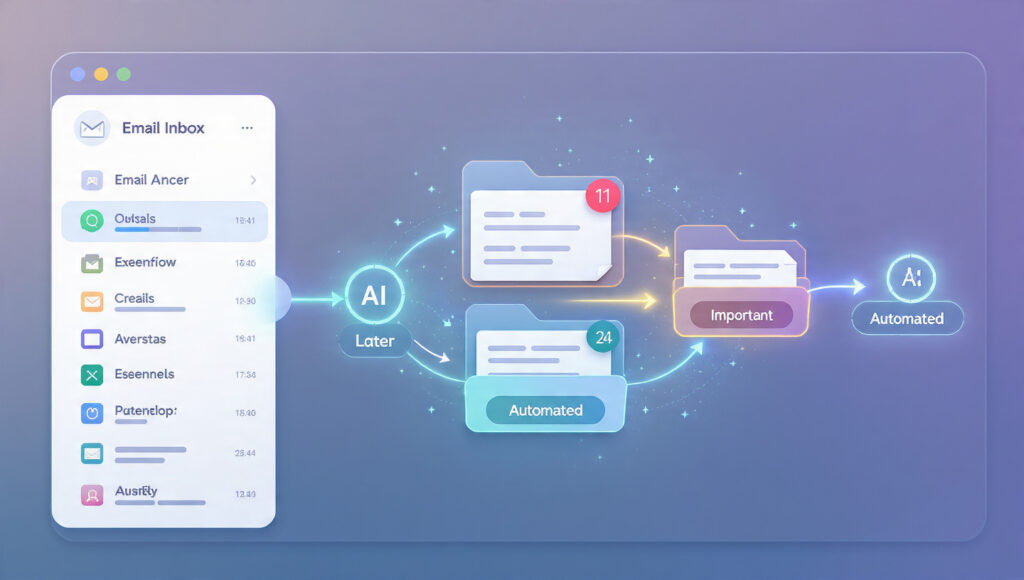
Email consumes more time than almost any other daily activity. Automation here delivers immediate relief.
What You Can Automate
- Sorting incoming emails
- Auto-replying to common questions
- Follow-up reminders
- Email prioritization
- Newsletter handling
Tools That Help
Gmail Filters / Outlook Rules
- Automatically label, archive, or forward emails
- Route newsletters away from primary inbox
- Flag urgent emails instantly
Superhuman
- Email prioritization
- Auto-follow-ups
- Smart reminders
SaneBox
- Uses AI to sort emails by importance
- Removes distractions automatically
Zapier
- Create workflows like:
- Save email attachments to cloud storage
- Add emails to task managers
- Send alerts for important emails
How This Helps
- Inbox stays clean
- Important emails never get lost
- Less mental fatigue
2. Automating To-Do Lists and Task Management

Managing tasks manually leads to missed deadlines and stress. Automation keeps everything structured.
What You Can Automate
- Task creation from emails
- Deadline reminders
- Recurring tasks
- Priority assignment
- Status updates
Tools That Help
Todoist
- Auto-creates tasks from emails
- Smart scheduling
- Recurring task automation
ClickUp
- Task templates
- Automated status changes
- Deadline notifications
Notion
- Automated databases
- Task workflows
- Linked reminders
Motion
- AI schedules tasks automatically
- Adjusts daily workload dynamically
Automation Example
- Email received → Task created → Reminder scheduled → Status updated after completion
3. Automating File Organization
Manually organizing files is time-consuming and inconsistent.
What You Can Automate
- File naming
- Folder placement
- Backup creation
- Document versioning
Tools That Help
Google Drive Automation
- Folder rules
- Shared folder triggers
Dropbox
- Auto-sync
- Version history
- Smart folders
Zapier / Make
- Save attachments automatically
- Rename files dynamically
- Sort files by type or source
Example Workflow
- Invoice email arrives → PDF saved → Renamed → Sorted into client folder
4. Automating Data Entry and Spreadsheets
Manual data entry is slow and error-prone.
What You Can Automate
- Form submissions
- Report updates
- Data syncing
- Calculations
Tools That Help
Google Forms + Sheets
- Form → Spreadsheet auto-fill
- Real-time data collection
Airtable
- Automated views
- Calculated fields
- Data triggers
Zapier
- Sync data between apps
- Update spreadsheets automatically
Automation Benefit
- Zero duplication
- Always updated records
- Better reporting accuracy
5. Automating Meeting Scheduling

Scheduling meetings manually creates endless back-and-forth emails.
What You Can Automate
- Availability sharing
- Calendar syncing
- Meeting reminders
- Follow-up emails
Tools That Help
Calendly
- Auto-schedules meetings
- Time-zone detection
- Buffer time management
Motion
- AI calendar planning
- Task-based scheduling
Google Calendar Automation
- Auto reminders
- Event templates
Workflow Example
- User selects time → Calendar updated → Confirmation sent → Reminder triggered
6. Automating Notes and Documentation
Writing notes manually often leads to lost information.
What You Can Automate
- Meeting notes
- Voice-to-text
- Knowledge storage
- Document summaries
Tools That Help
Notion AI
- Auto-summaries
- Structured documentation
- Task extraction
Otter.ai
- Meeting transcription
- Speaker identification
- Summary generation
Evernote
- Auto tagging
- Document scanning
Result
- No missed details
- Easy retrieval
- Organized knowledge base
7. Automating Social Media Tasks
Daily posting manually is exhausting and inconsistent.
What You Can Automate
- Post scheduling
- Caption reuse
- Content recycling
- Analytics tracking
Tools That Help
Buffer
- Schedule posts across platforms
- Queue automation
Hootsuite
- Multi-account management
- Auto analytics
Publer
- Evergreen post recycling
- Auto hashtags
Zapier
- Blog → Social post automation
- New content alerts
Automation Impact
- Consistent posting
- Reduced effort
- Better engagement
8. Automating Customer Support
Responding to repetitive questions wastes time.
What You Can Automate
- FAQs
- Order status
- Booking confirmations
- Lead qualification
Tools That Help
Tidio
- AI chatbots
- Auto responses
Intercom
- Automated workflows
- Smart replies
Zendesk
- Ticket automation
- Auto routing
Chatbot Example
- User asks question → AI responds → Escalates if needed
9. Automating Personal Productivity
Automation isn’t only for work.
What You Can Automate
- Daily reminders
- Habit tracking
- Personal notifications
- Routine planning
Tools That Help
IFTTT
- Phone automation
- Smart device control
Todoist
- Habit reminders
Google Assistant
- Voice-triggered actions
Example
- Morning alarm → Daily plan notification → Calendar overview
10. Automating Expense Tracking and Finance Tasks
Financial tasks are repetitive but critical.
What You Can Automate
- Expense logging
- Invoice generation
- Payment reminders
- Monthly reports
Tools That Help
Expensify
- Receipt scanning
- Auto categorization
QuickBooks
- Invoice automation
- Payment reminders
Wave
- Accounting automation
Automation Result
- Fewer errors
- Real-time financial clarity
11. Automation Tools That Connect Everything
The real power comes from connecting tools together.
Integration Platforms
Zapier
- No-code automation
- Thousands of app connections
Make
- Visual workflows
- Advanced automation logic
Power Automate
- Microsoft ecosystem automation
Example
- Form submitted → CRM updated → Email sent → Task created
How to Start Automating Without Overwhelm
Step-by-Step Approach
- Identify repetitive tasks
- Start with one task
- Choose one tool
- Automate gradually
- Measure time saved
Avoid automating everything at once.
Mistakes to Avoid in Task Automation
- Automating broken processes
- Using too many tools
- Ignoring maintenance
- Over-engineering workflows
- Not documenting automations
Simple automation beats complex systems.
Long-Term Benefits of Automating Daily Tasks
- Time freedom
- Reduced mental load
- Better focus
- Consistent output
- Scalable workflows
Automation isn’t about replacing humans.
It’s about freeing humans to do meaningful work.